BY-Material Request Creation
Executed by
Various Department
Processes trigerred from
- Campaign Management
- PO-based Procurement
- Service/Contract based Procurement
- Non Po based Procurement
Navigation
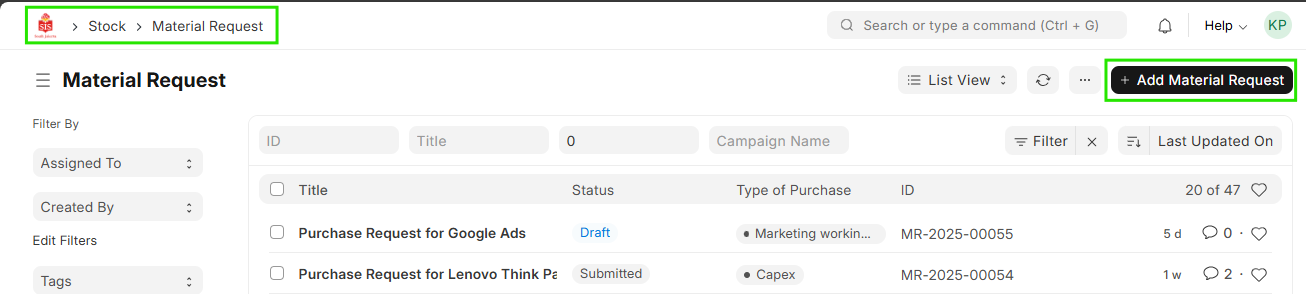
Home > Select Buying Module > Select Material request Creation
Steps
- Click Add Material Request
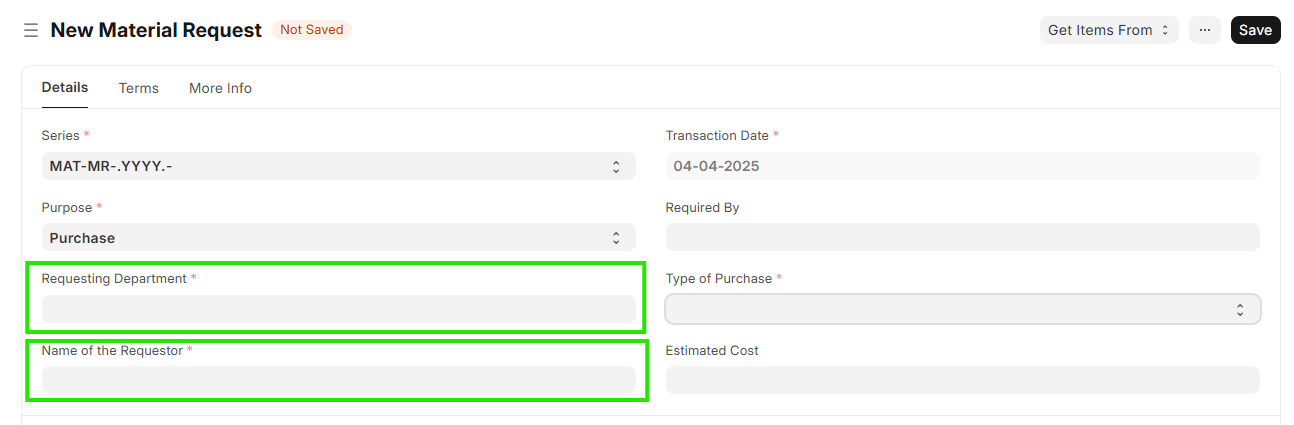
- Enter Purpose for creation Material request

- Verify Requesting department & name of the requestor
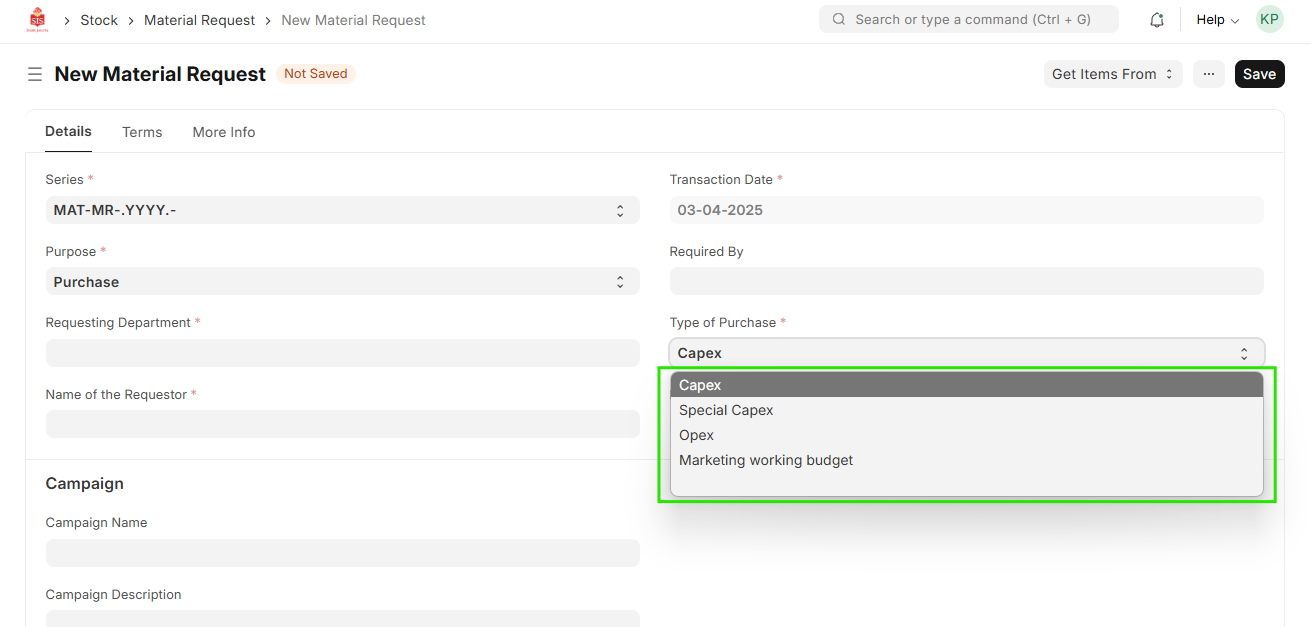
- Enter type of Purchase
-Opex (Operating Expenses): These are the regular costs of running the business, They are typically recurring and necessary for the business to function
-Capex (Capital Expenditures): These are costs related to acquiring or upgrading physical assets like property, equipment, or machinery. Unlike Opex, Capex is typically a one-time or infrequent expense.
-Marketing working budget : It will be used for sales and marketing department for Campaign Run Cost
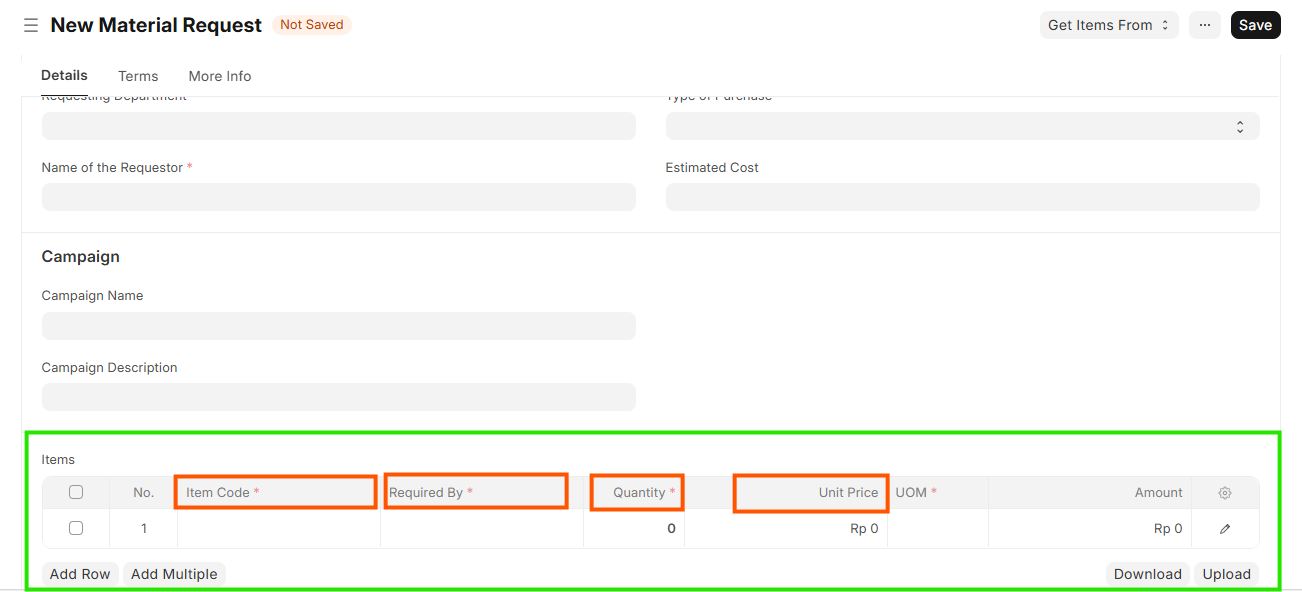
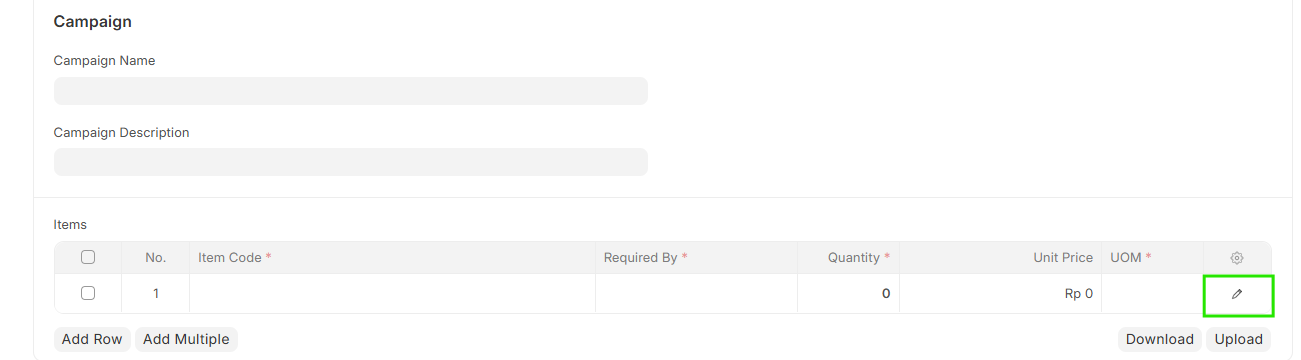
- Enter item code required to be procured
- Enter Required by
- Enter Quantity & Unit Price
- Open Edit Line item to enter accounting Dimension
Enter Accounting dimentions as per Purchase Type
Accounting Dimensions Cost Center & Profit Center are mandatory.
-In case of a Purchase Type Marketing Working Budget - Cost Center, Profit Center, and Marketing Segment are Mandatory & must be specified.
-In case of Purchase type Opex & Capex -Cost Center , Profit Center are Mandatory & must be Specified.

- Save
Note: Submit will be done only after Approval process from Reporting head, Head teacher & Head of Department