FI – Asset Master Update & CWIP Creation
Executed by
Finance Manager
Processes Triggered From
- PO-based Procurement - Standard Capex Procurement "(Variant)"
- Asset Capitalization
Navigation
Navigation: Home > Go to Asset Module > Click on Asset List
Steps
Review the asset details for completeness.
Verify asset information (e.g., name, value, asset category).
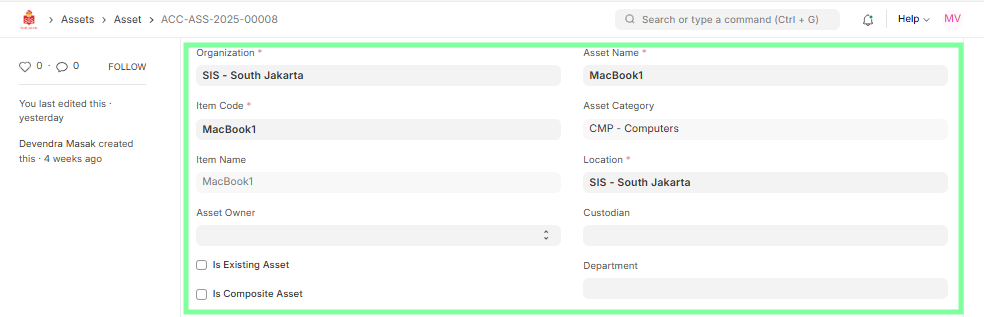
Confirm the asset’s relevant details (Asset Owner, Purchase price, location, etc.).
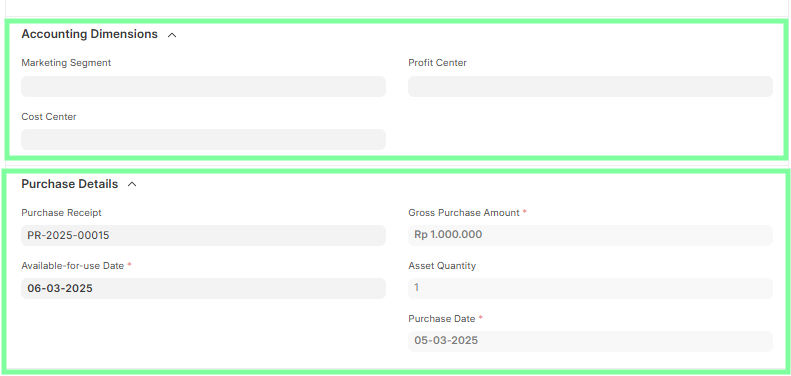
Update the asset master with the relevant details:
- Accounting Dimension
- Purchase Date
- Available to Use Date (Note: This is the same as the Depreciation Start Date).
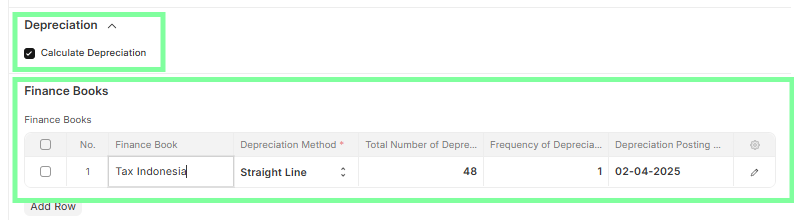
 5. Depreciation Tab:
- Ensure Calculate Depreciation is enabled if applicable.
- Verify and update the Finance Books section.
- Confirm the Depreciation Method, Total Number of Depreciations, and Frequency of Depreciation.
- Set the Depreciation Posting Date as required.
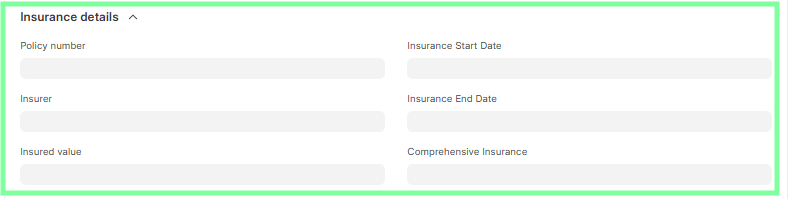
 6. Insurance Tab (If Applicable):
- Update Policy Number, Insurer, Insured Value, Start Date, and End Date.
- Mark Comprehensive Insurance if applicable.
For Asset Capitalization: Asset Creation (CWIP)
Go to Asset and click on New.
First, select the Item Code, then enter the Asset Name.
Enable the checkbox "Is Composite Asset".
Select the Asset Location.
Enter:
- Profit Center
- Cost Center
Save the asset.
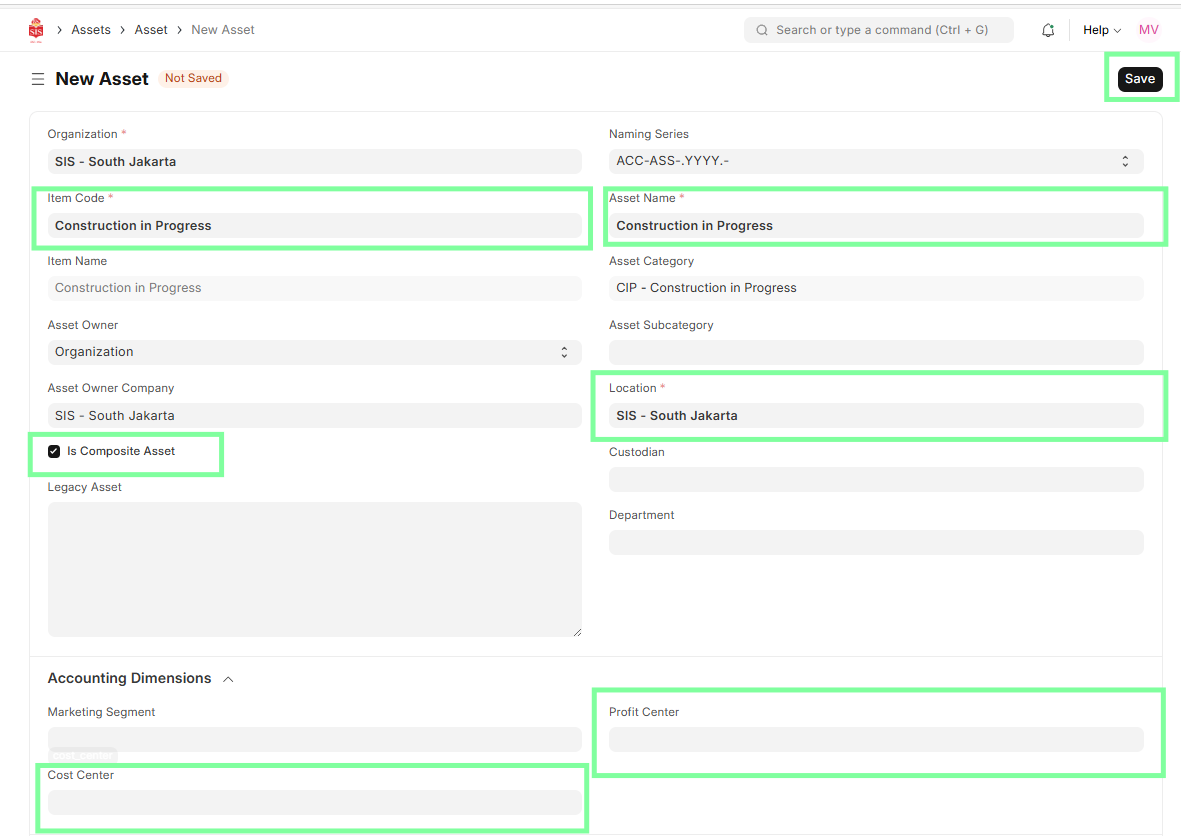
- The asset will remain in Construction Work in Progress (CWIP) until all components are received and ready for capitalization.