BY-Goods Received Note
Executed by
General Affairs / Requestor/ HT Secretary
Processes trigerred from
- Campaign Management
- PO-based Procurement
- Service/Contract based Procurement
Navigation
Navigation 1 : Home > Select Buying Module > Select Purchase order > Select Goods Received Note
Navigation 2 : Home > Select Buying Module > Select Goods Received Note
Steps
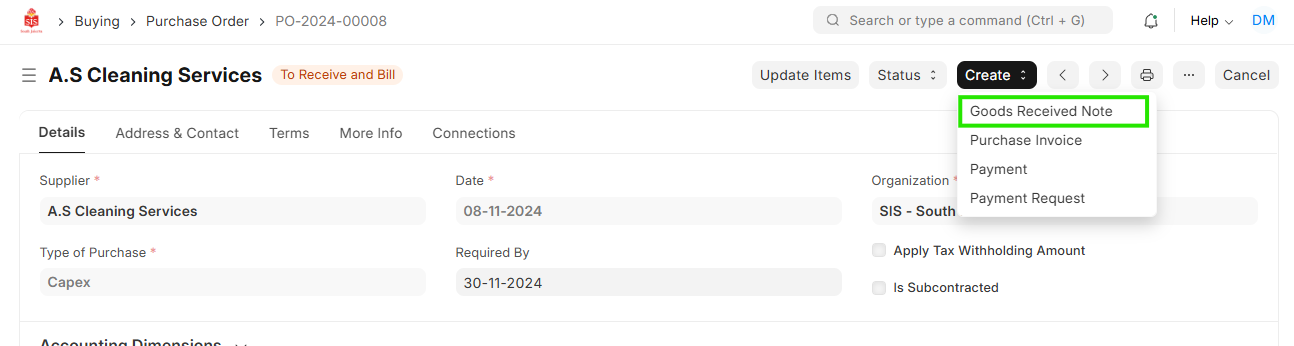
Create Goods Received Note with reference to Purchase order
Navigation 1 : Home > Select Buying Module > Select Purchase order>Click on Create Button > Select Goods Received Note
All details from Purchase order will be fetched automatically ie:Supplier , Item code, Quantity , Amount
Create Independent Goods Received Note Creation
Navigation 2 : Home > Select Buying Module > Select Goods Received Note

- Enter Supplier
- Enter Posting Date

- Enter Item code,Quantity
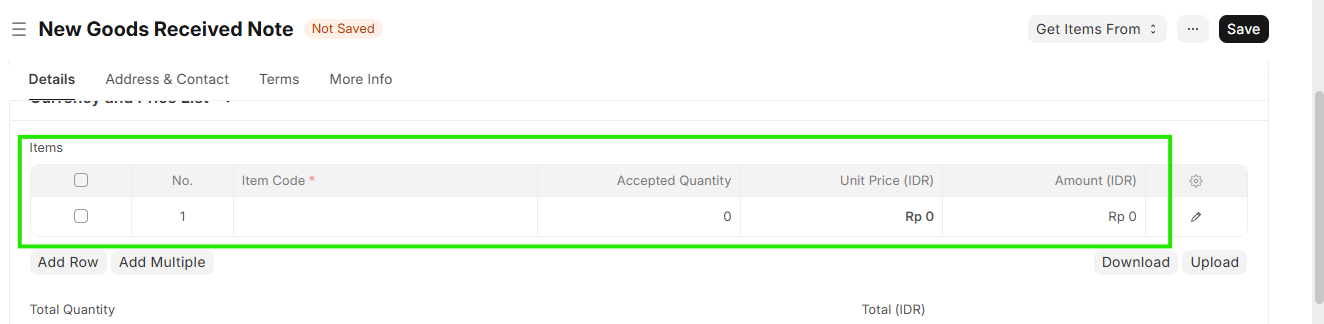 7. Save>Submit