SL- Student Applicant Creation
Executed by
Marketing Executive
Processes trigerred from
Student Admission - New student "(Variant)""
Navigation
Navigation: Home > CRM>Lead>Create>Student Applicant
Steps
- Open the leads with the status ""Hot.""
- The Create button will appear in the top-right corner.
- Click on the Create button to display dropdown menu.
- Click on Student Applicant from the dropdown.
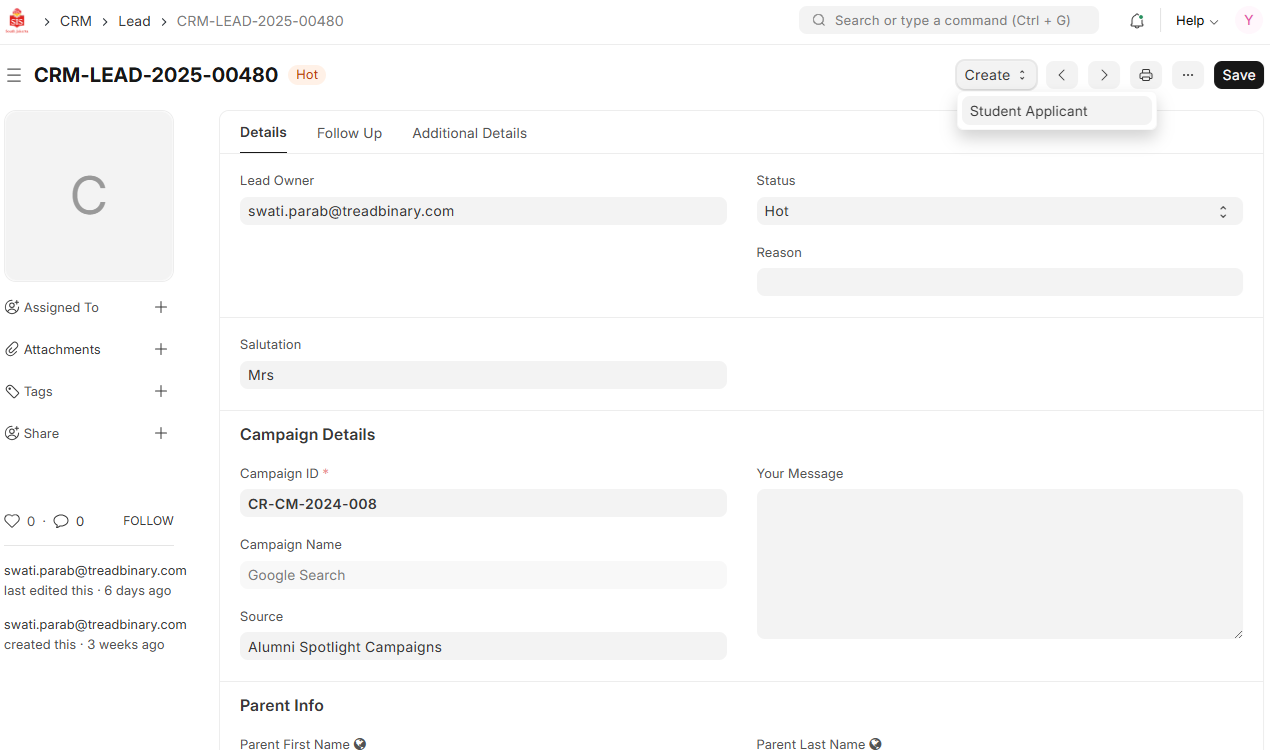
- A new Student Applicant record will be generated automatically.
- Complete the mandatory fields in the record, such as the Student’s Email ID and Parent details under the Relations tab.
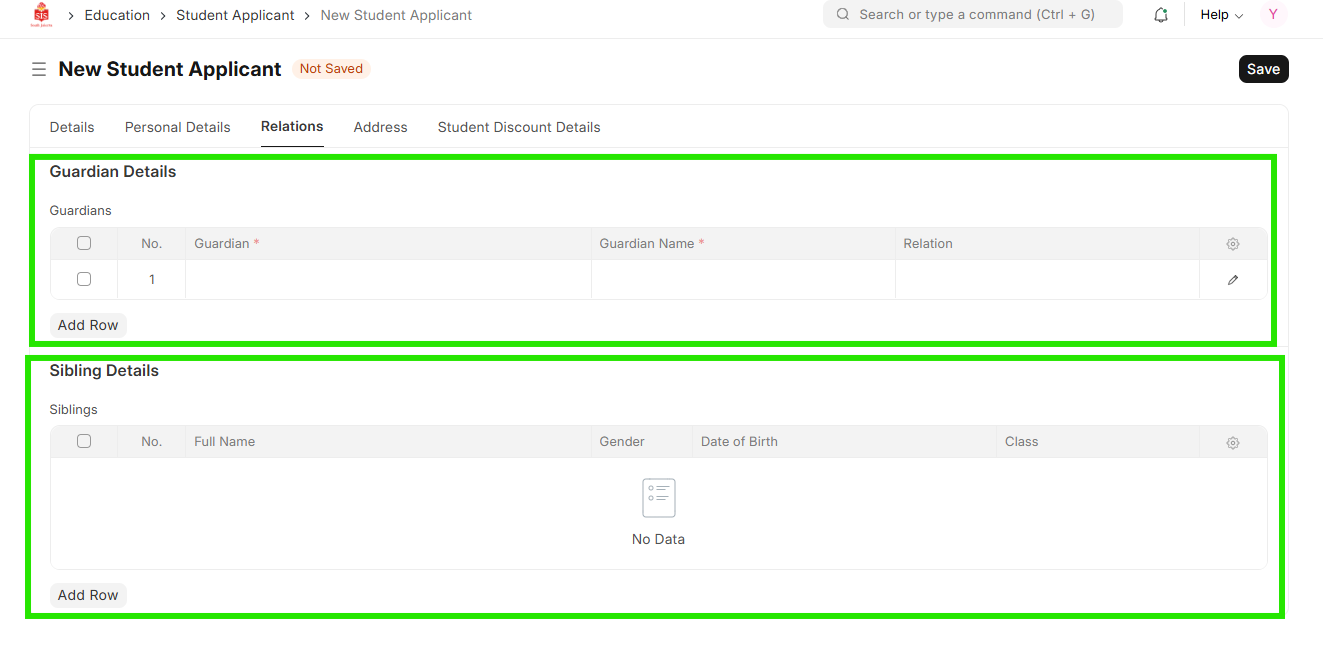
- Once the details are entered, click Save.