FI- Process Deferred Accounting
Executed by
Accounts Executive - Receivable
Processes triggered from
- Student Admission - New Student Admission "(Variant)", Existing Student "(Variant)"
- Student Transfer
Navigation
Home > Accounting Module > Process Deferred Accounting
Steps
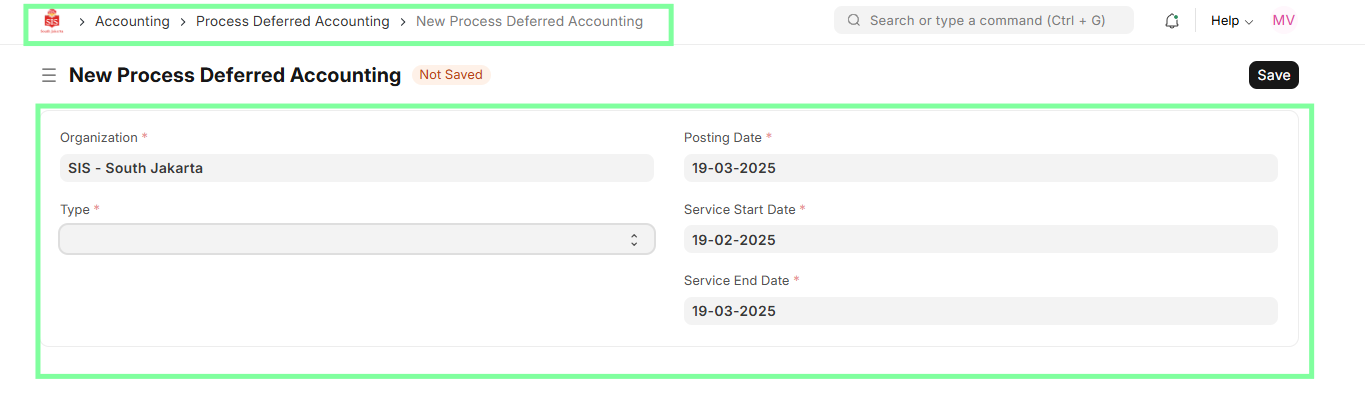
- Navigate to the Process Deferred Accounting module.
- Create a new Process Deferred Accounting entry for Revenue or Expense as per the invoice deferring period.
- Define the Service Start Date and Service End Date.
- Save and Submit the entry to trigger creation of monthly draft journal entries.
Important Notes
- Monthly journal entries will be created in 'Draft' status upon the 'Submit' action of this document.
- This is a bulk program and will be used for all sales invoices where 'Enable Deferred Revenue' and 'Enable Deferred Expense' are selected.
- All sales invoice entries with a service period falling between the 'Service Start Date' and 'Service End Date' will be considered for deferring.
- Journal entries will be created on a monthly basis for each qualifying invoice.