ED-Subject mapping to Class
Executed by
Registrar/IT admin
Processes trigerred from
Navigation
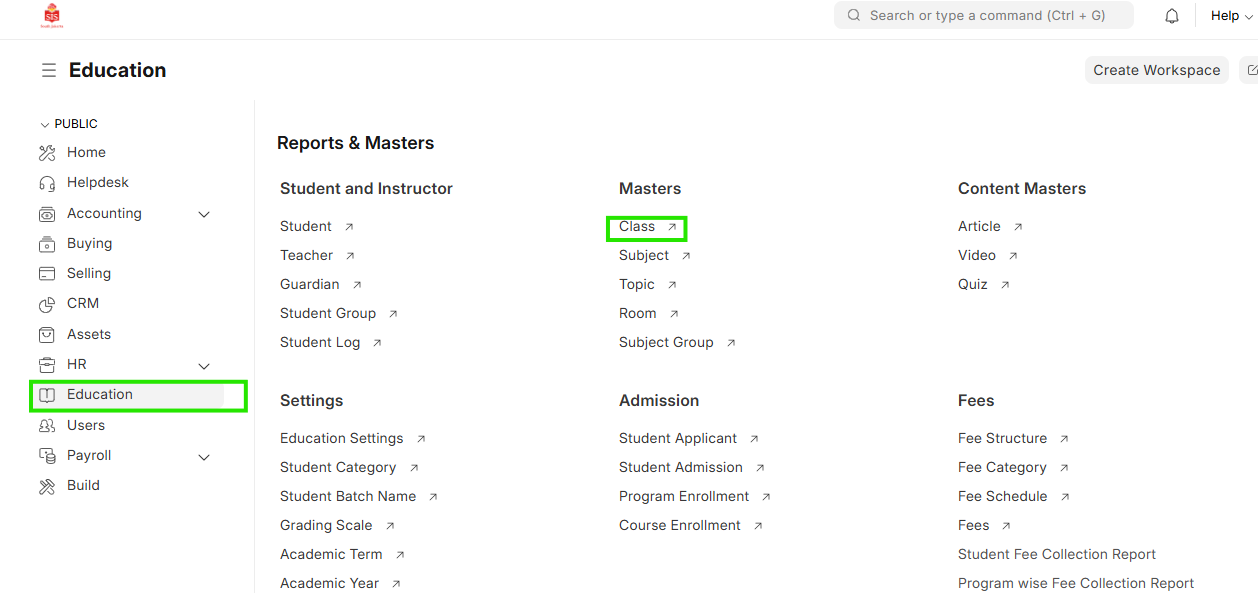
Navigation:Education > Class
Steps
Subject Mapping to Class
- Select Education module and select Class
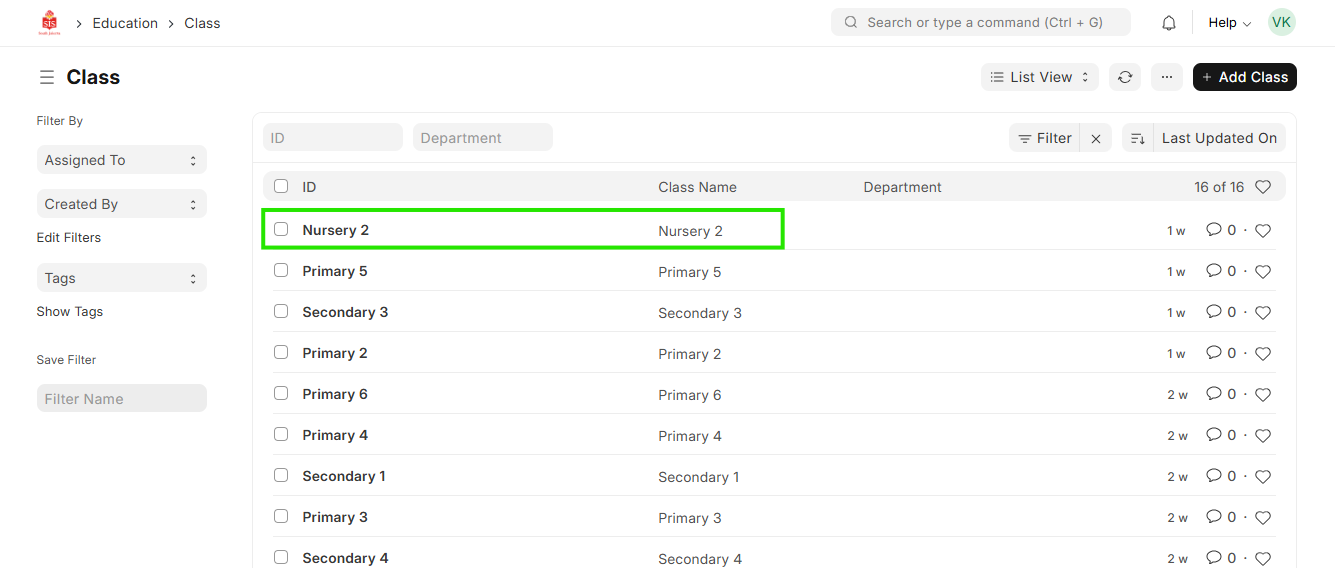
 2. Select the class for updating the subject
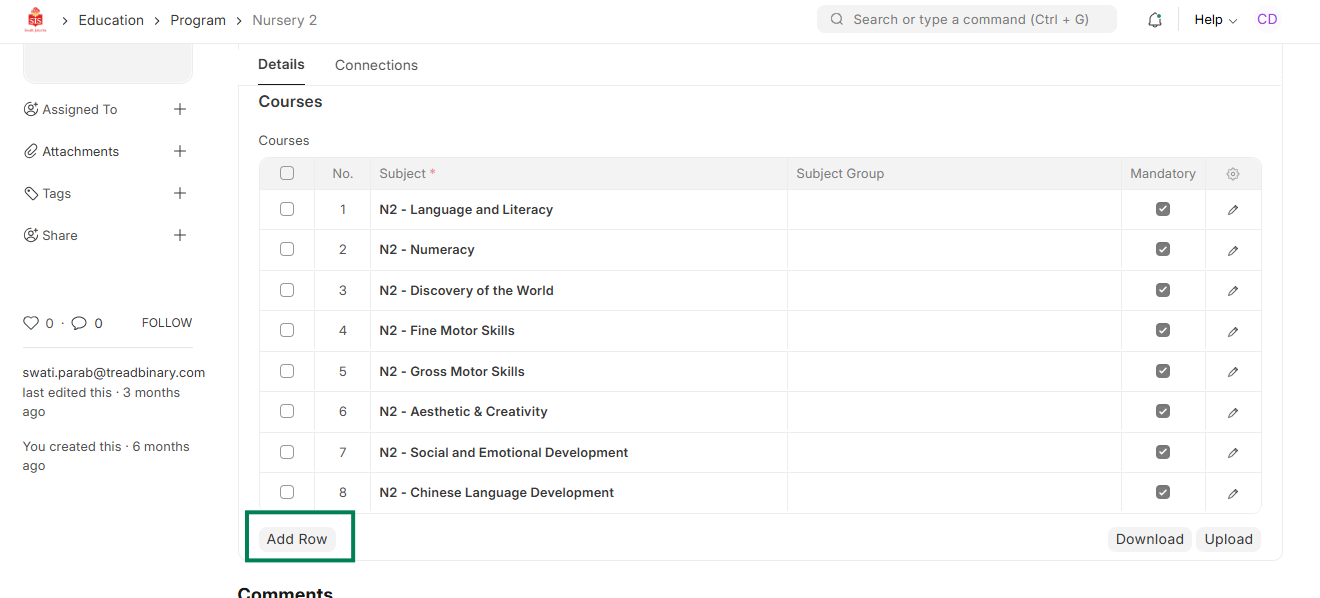
 3. Update the name of the subjects relevant to the class in the courses table
 4. Save the entry
5. Repeat for mapping more subjects to the class
4. Save the entry
5. Repeat for mapping more subjects to the class