ED-Course Schedule Creation
Executed by
Registrar
Processes trigerred from
Navigation
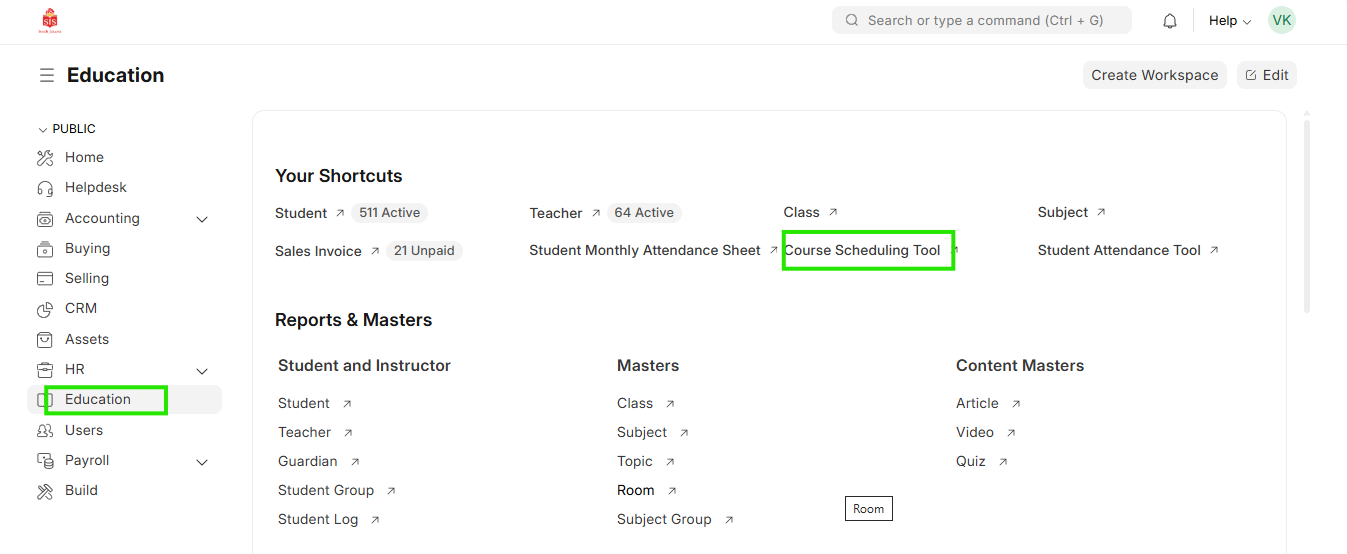
Navigation:Education > Course schedule
Steps
Course Schedule Creation
- Select Education module and click on Course Scheduling Tool
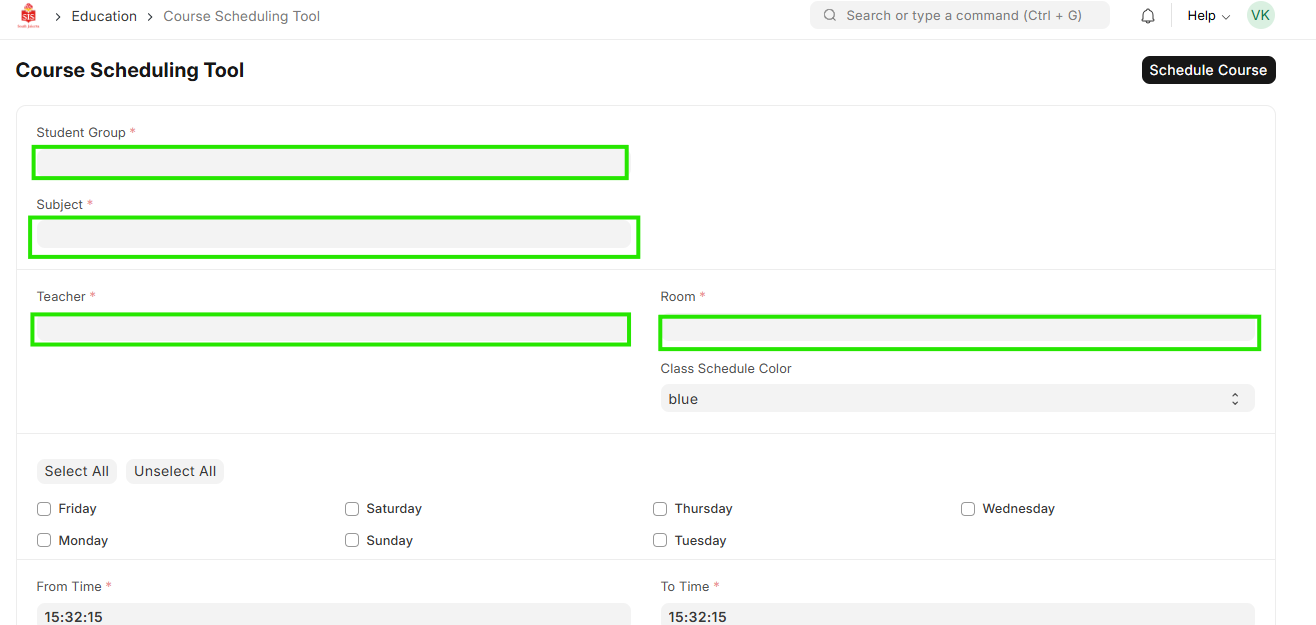
 2. Select the Student Group, Subject, Instructor and classroom
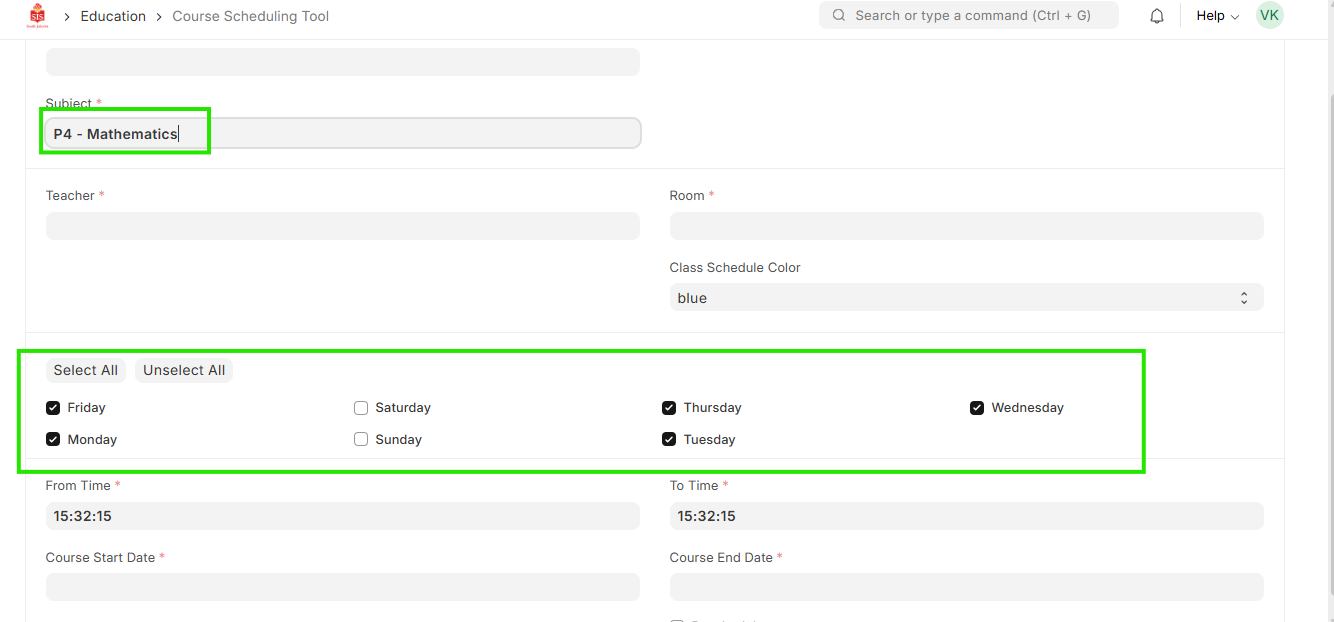
 3. Select the repetition of the weekdays applicable for the respective subject
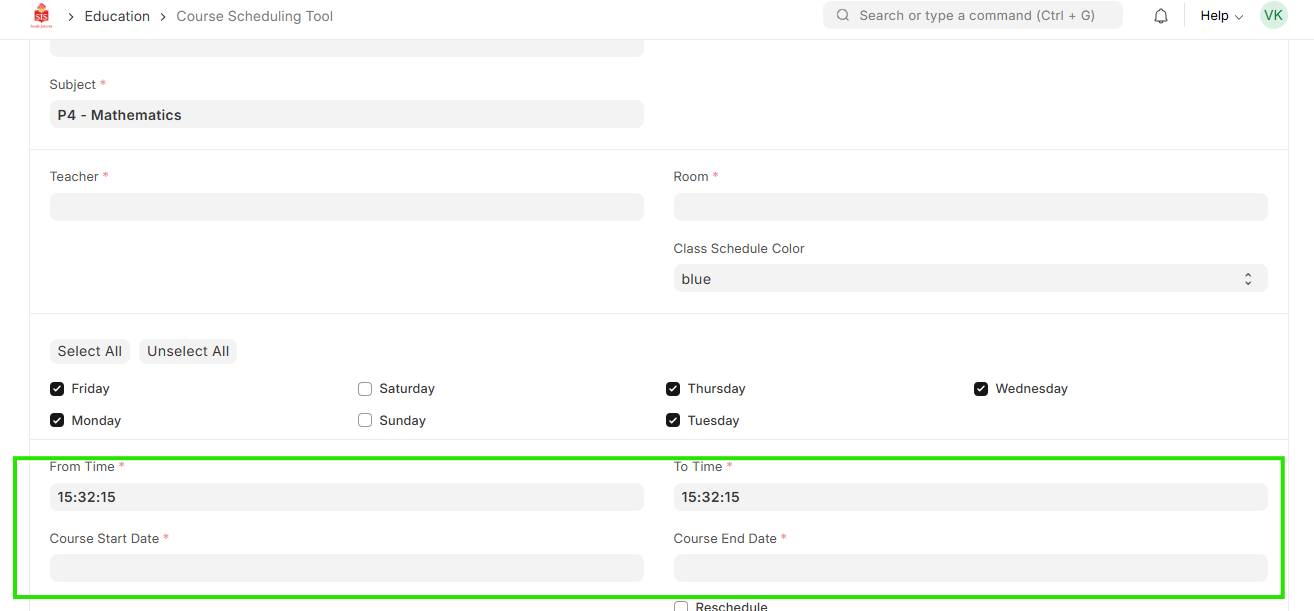
 4. Select the start date, end date, start time and end time of the schedule
 5. Click Save
6. Repeat for multiple schedule creation
5. Click Save
6. Repeat for multiple schedule creation
- Please ensure the new repalcement teacher is created in the Teacher doctype