ED-Subjects creation
Executed by
Registrar/IT admin
Processes trigerred from
Navigation
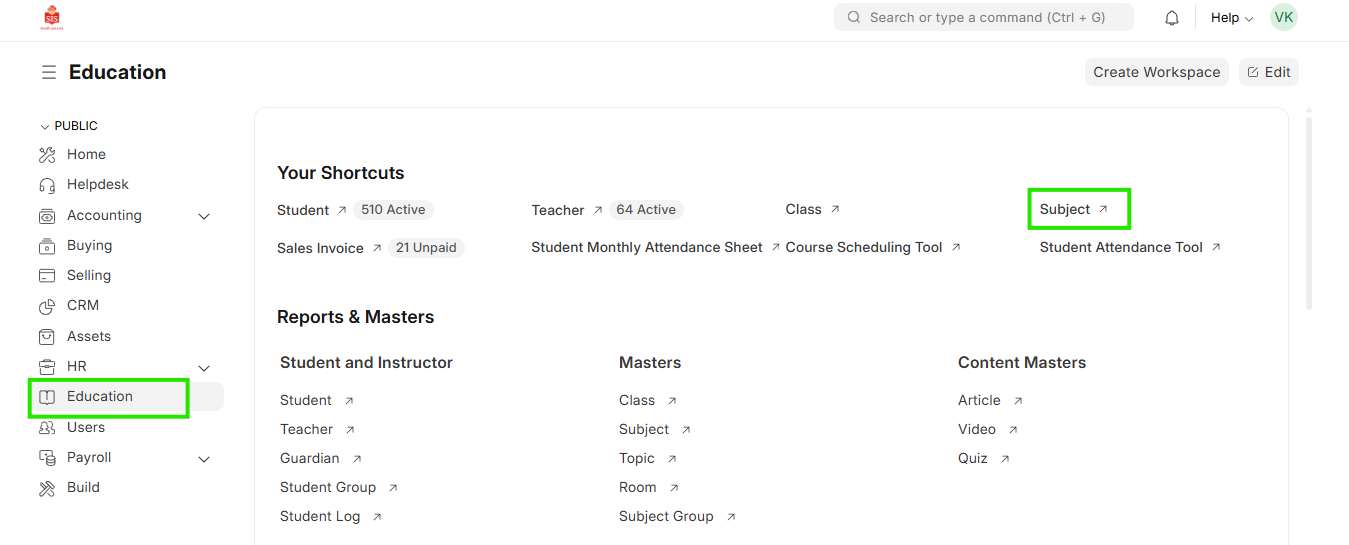
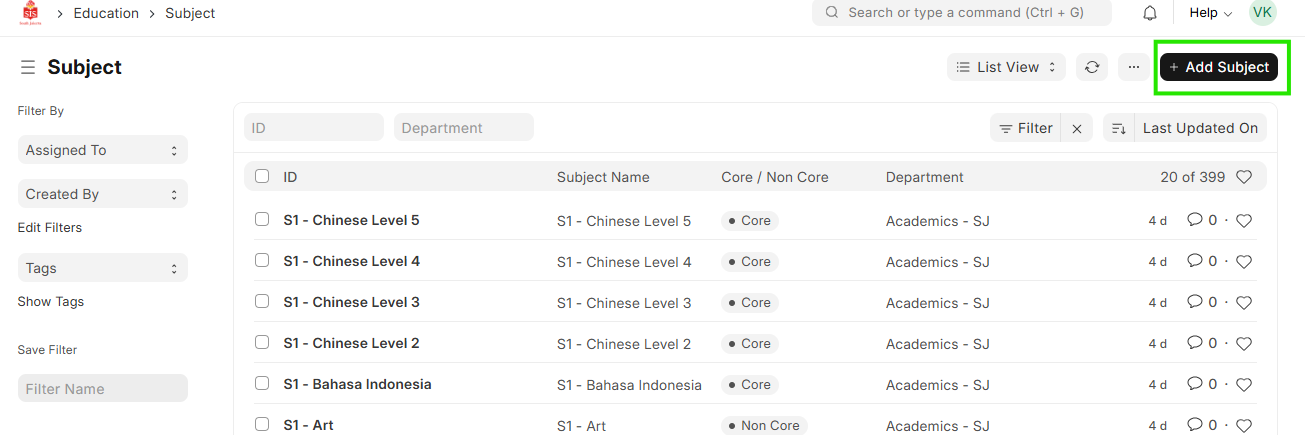
Navigation:Education > Subject > Add Subject
Steps
Subject creation
- Select Education module and select Subject/Course
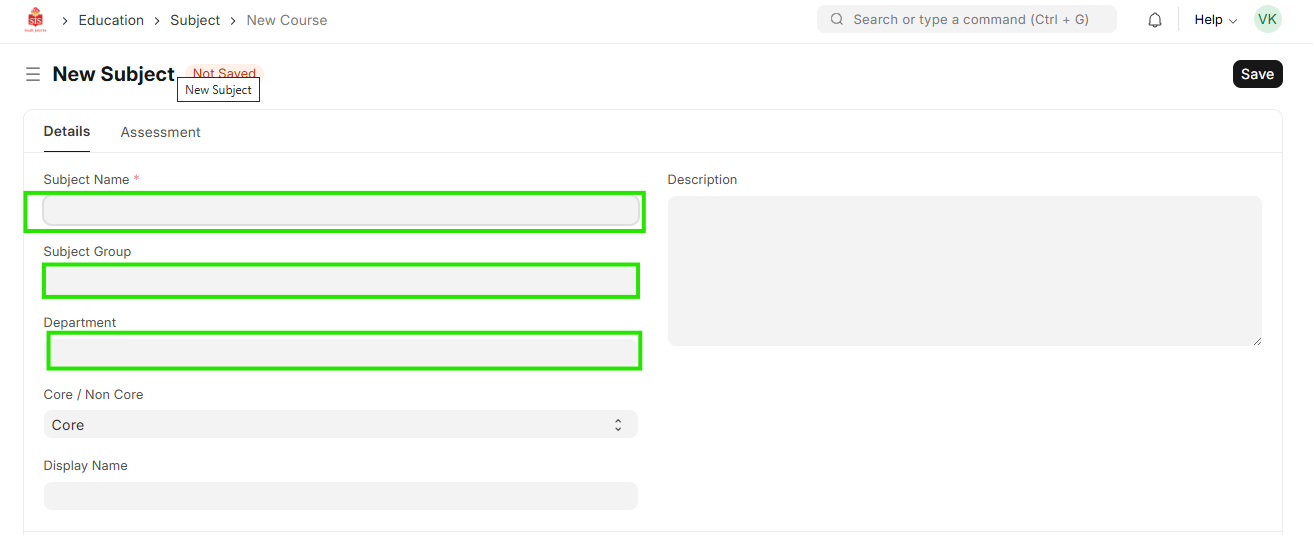
 2. Select Add Subject/Course, fill in the name and details
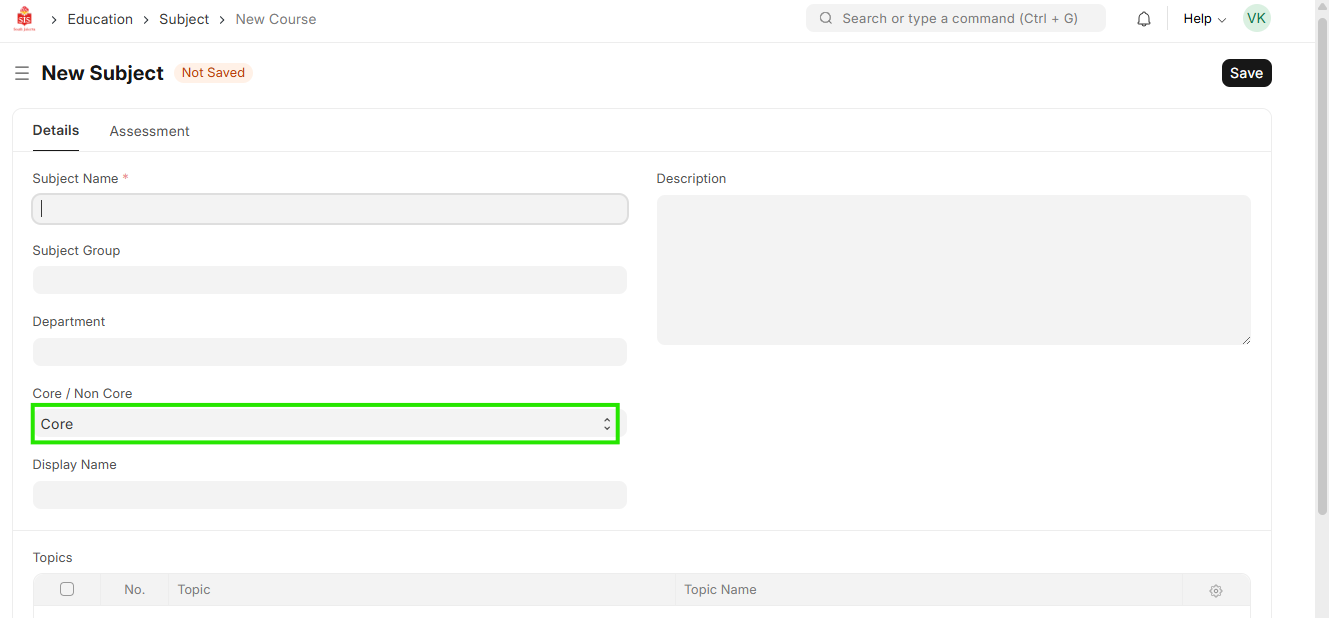
 3. Select if the subject is core or non core
- Save the entry
- Repeat for adding multiple subjects/courses