ED-Student Assessment Marks Entry
Executed by
Teacher
Processes trigerred from
Navigation
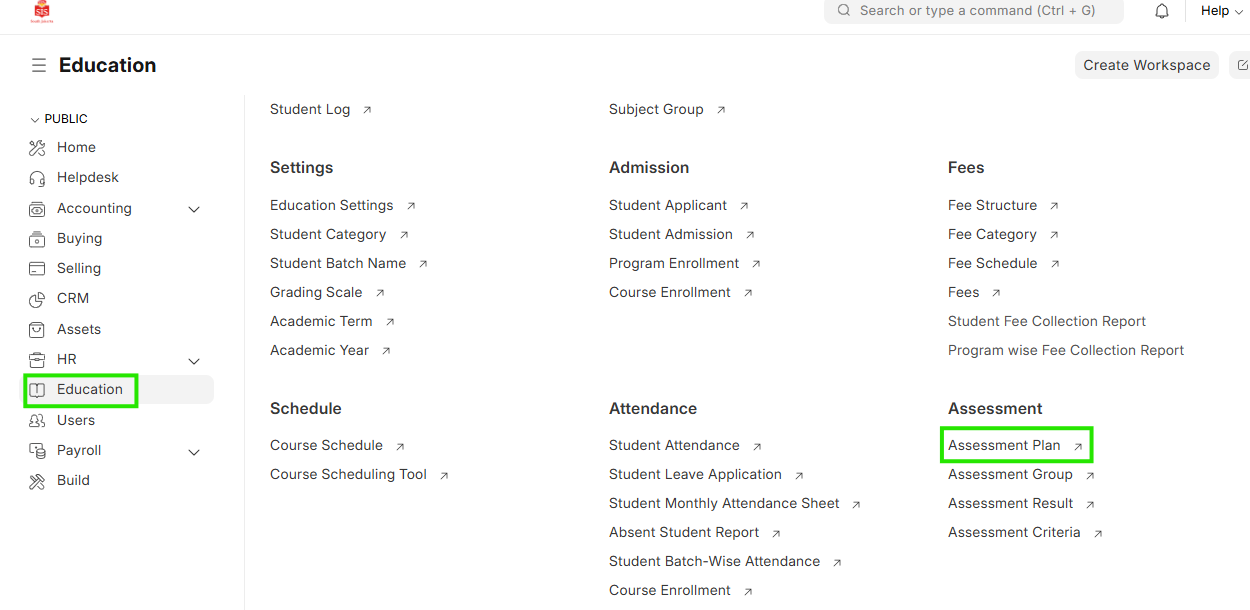
Navigation:Education > Assessment Result Tool
Steps
Student Assessment Marks Entry
- Select Education module and select Assessment Plan
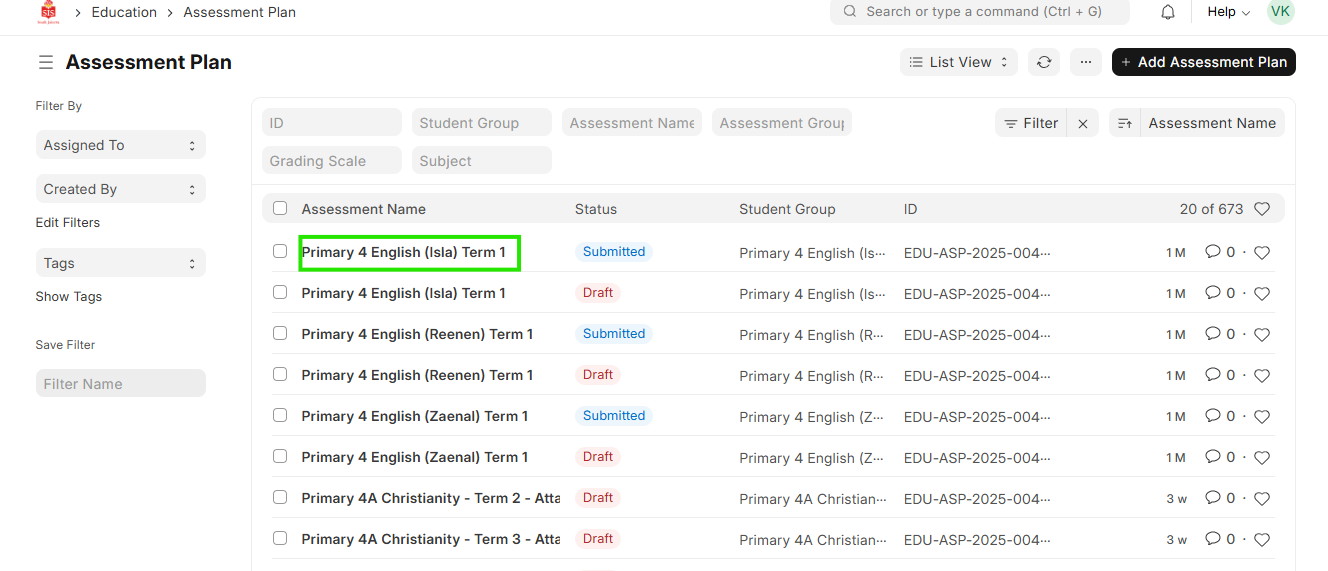
 2. Search and filter for the assessment for the mark entry to be done
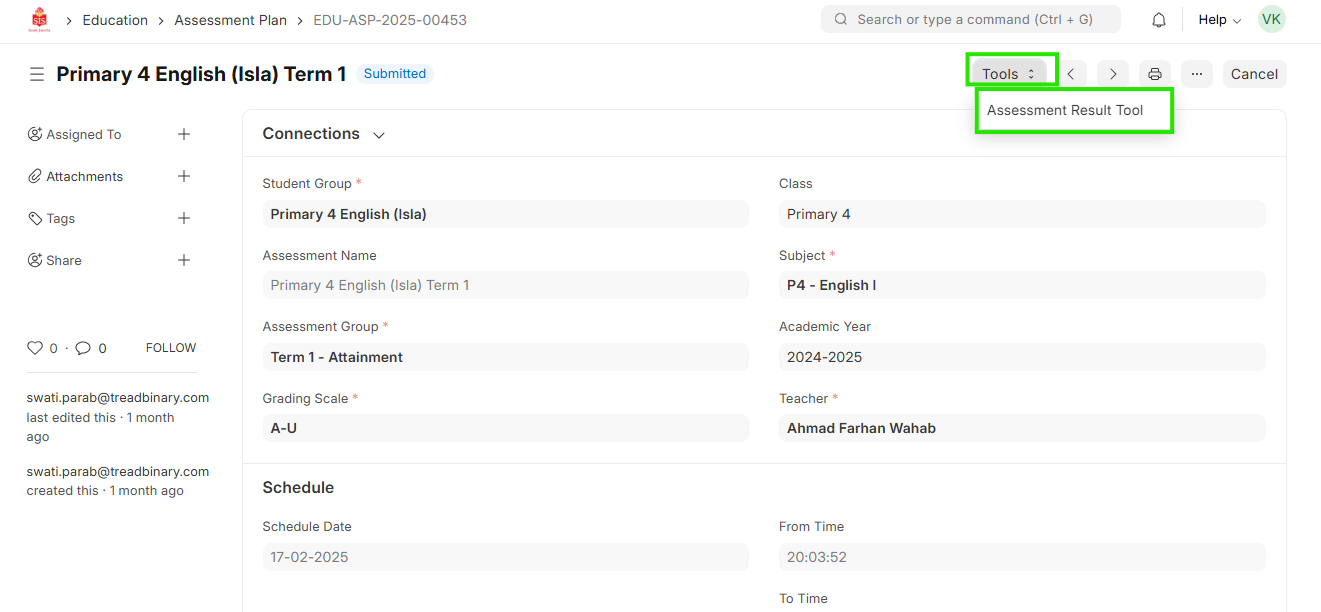
 3. Click on Tools and select Assessment Result Tool
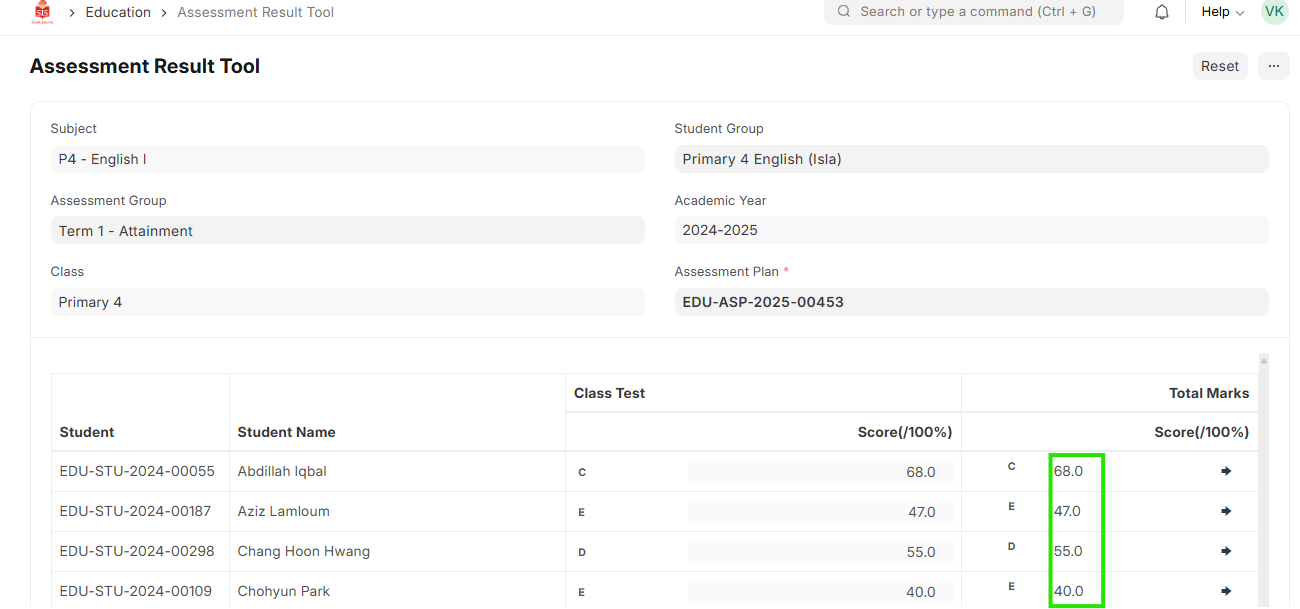
 4. The assessment entries will appear
5. Enter the marks in the table at a child level
4. The assessment entries will appear
5. Enter the marks in the table at a child level
 6. Click on Submit