ED-Adding / Removing mapping of a subject in a Program
Executed by
Registrar/IT admin
Processes trigerred from
Navigation
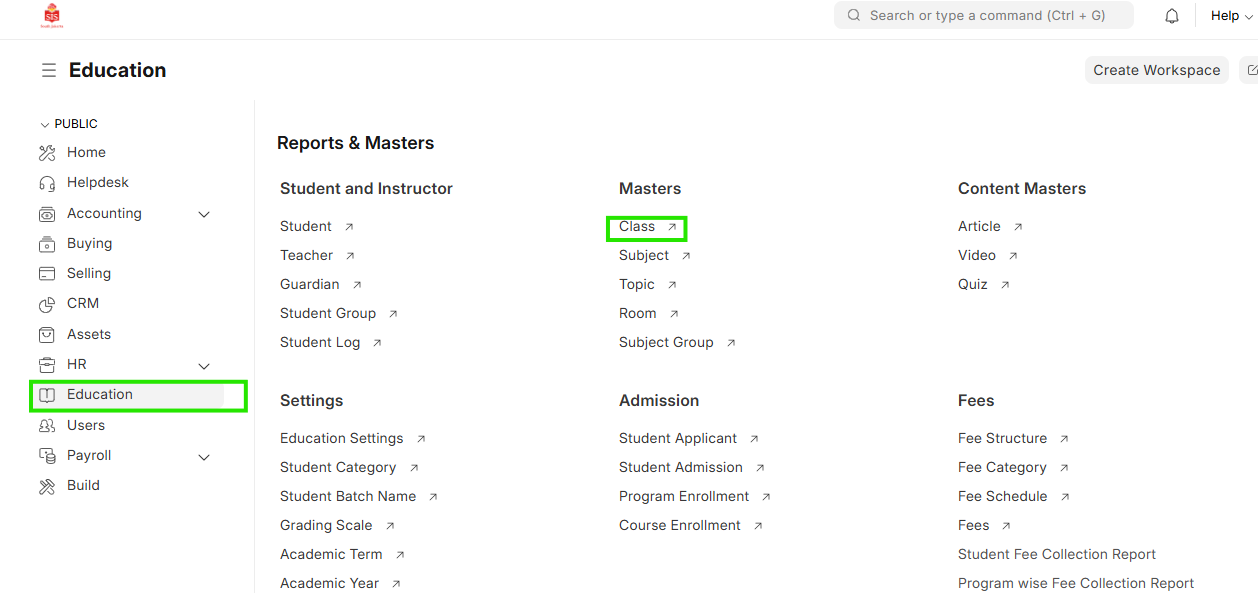
Navigation:Education > Class
Steps
Adding / Removing mapping of a subject in a Program
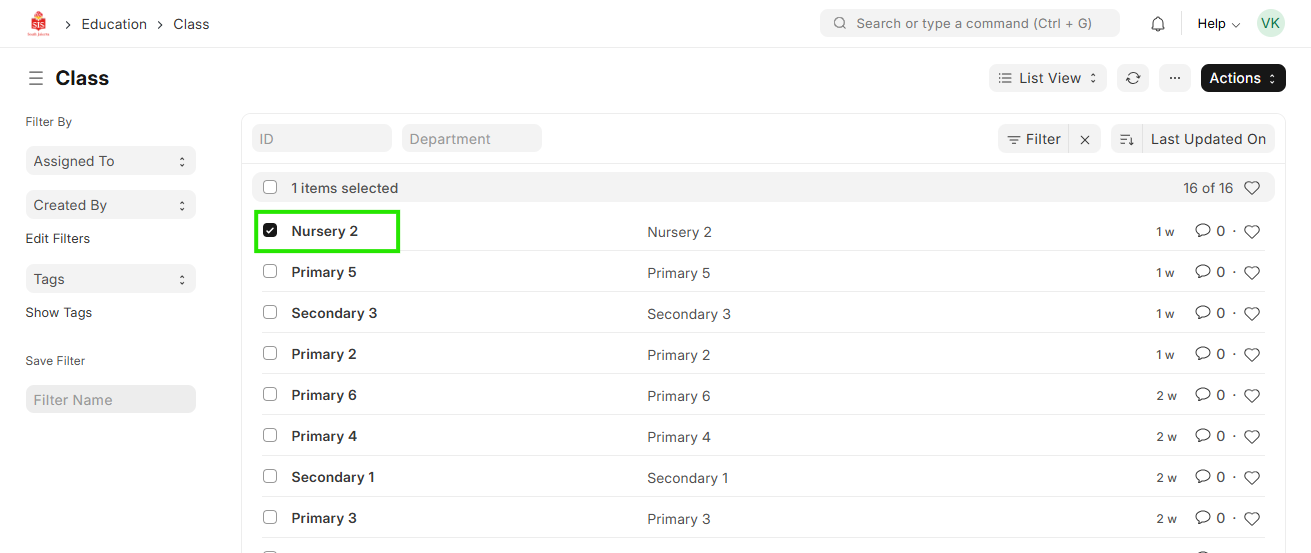
- Select Education module and click on Class
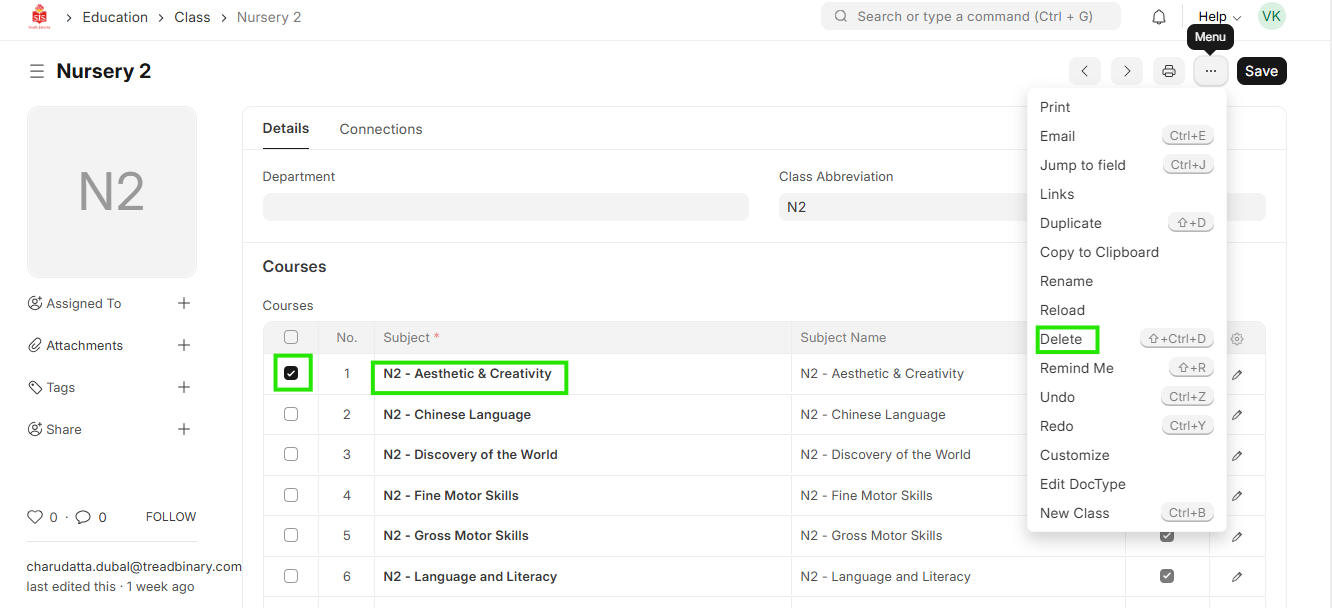
 2. Within the child table of the subject, select the subject that needs to be removed and click on delete at the bottom of the table
 3. Similarly for addition of subject, click on add row at the bottom of the table and select the type the name of the subject to be added. Once the subject name populates in the dropdown list, select the subject
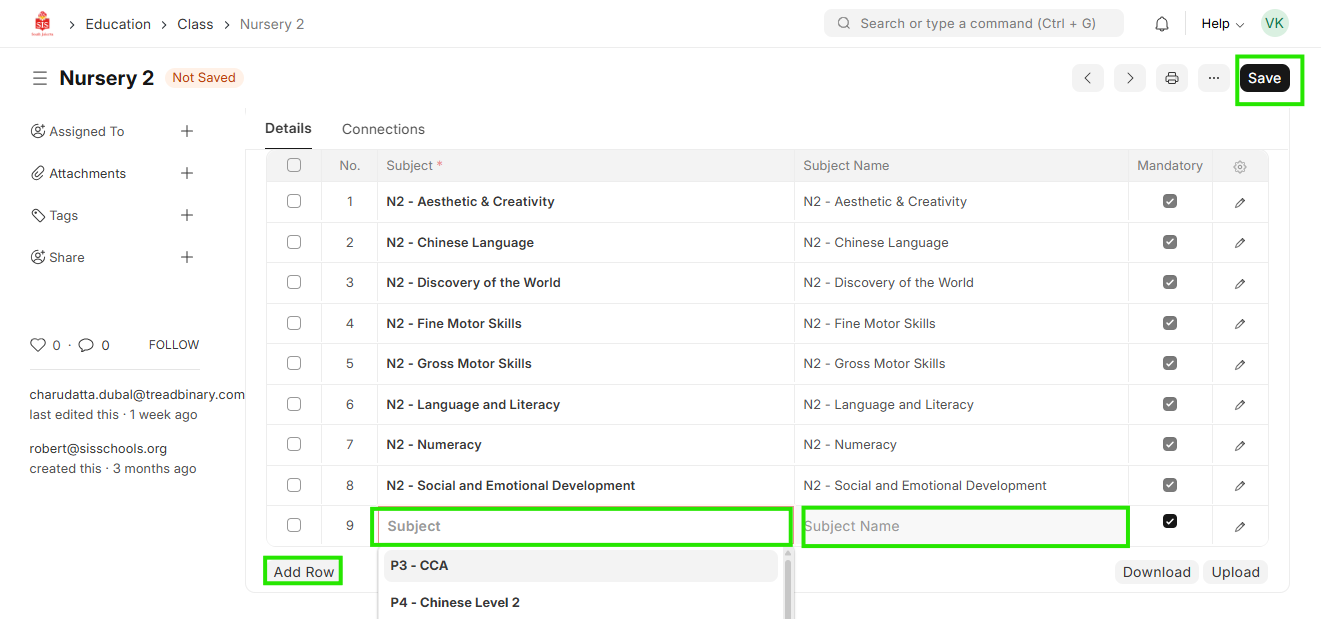
- Click on Save