ED-Updating student list in student group
Executed by
Registrar
Processes trigerred from
Navigation
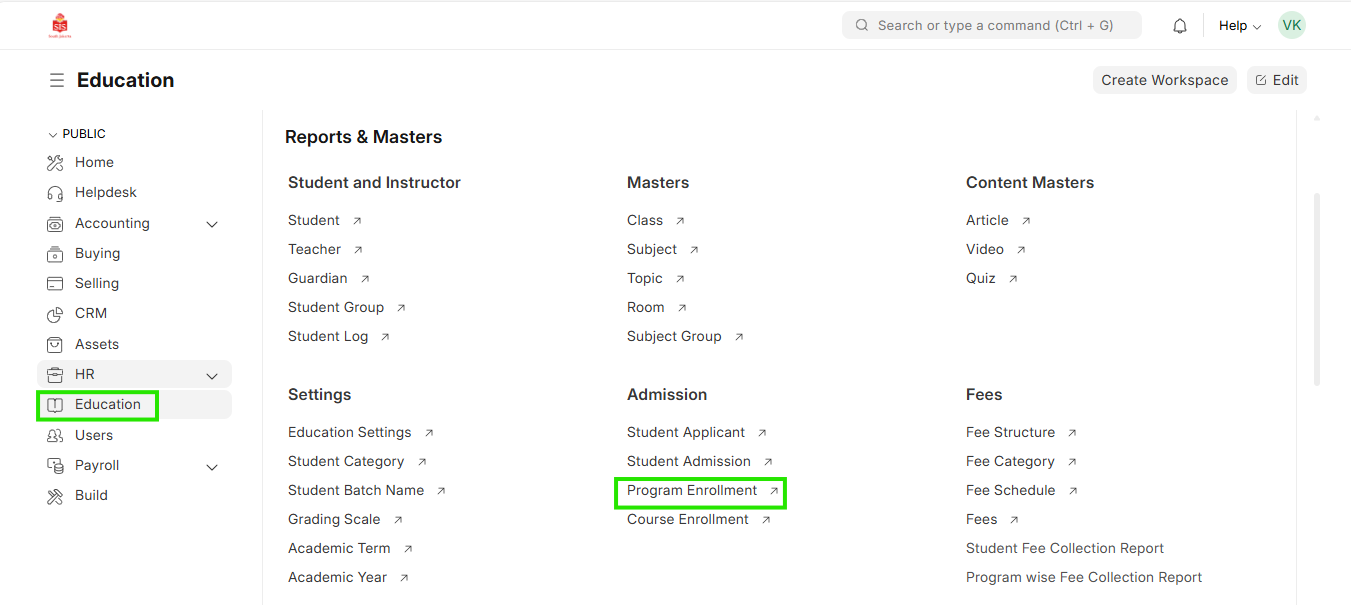
Navigation:Education > Program Enrollment
Steps
Updating student list in student group
- Select Education module and select Program Enrollment
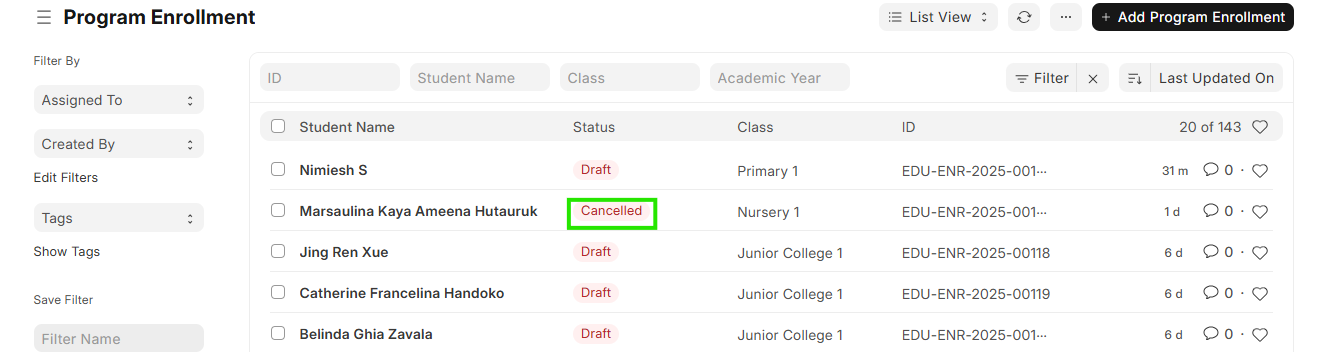
 2. Check if the student enrollment has been cancelled
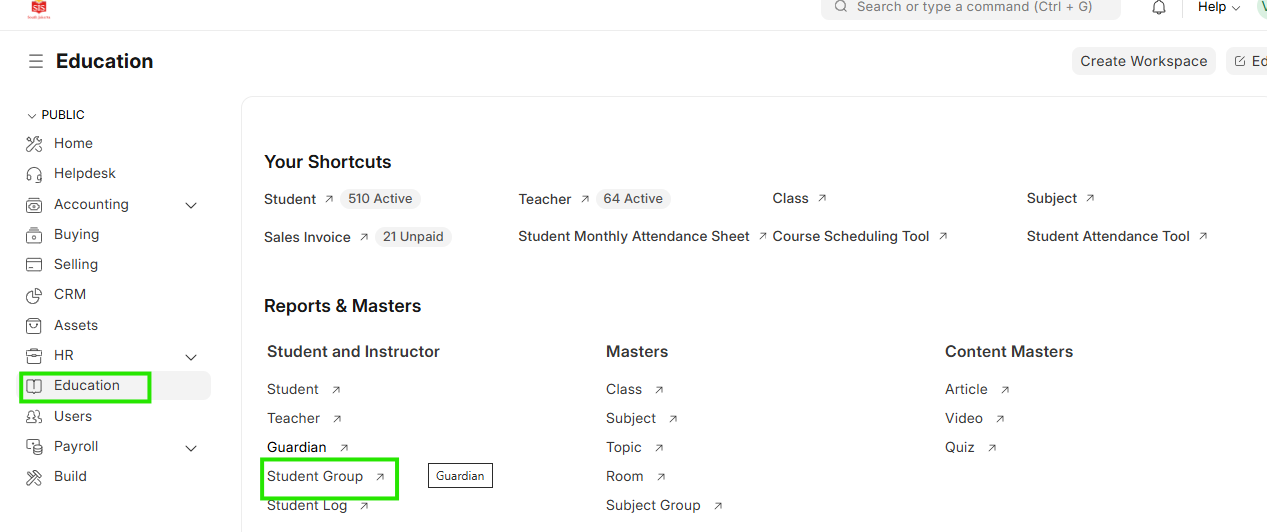
 3. Once the cancellation is confirmed go back to education module and select Student Group
 4. Select the student group to which the student was a part of
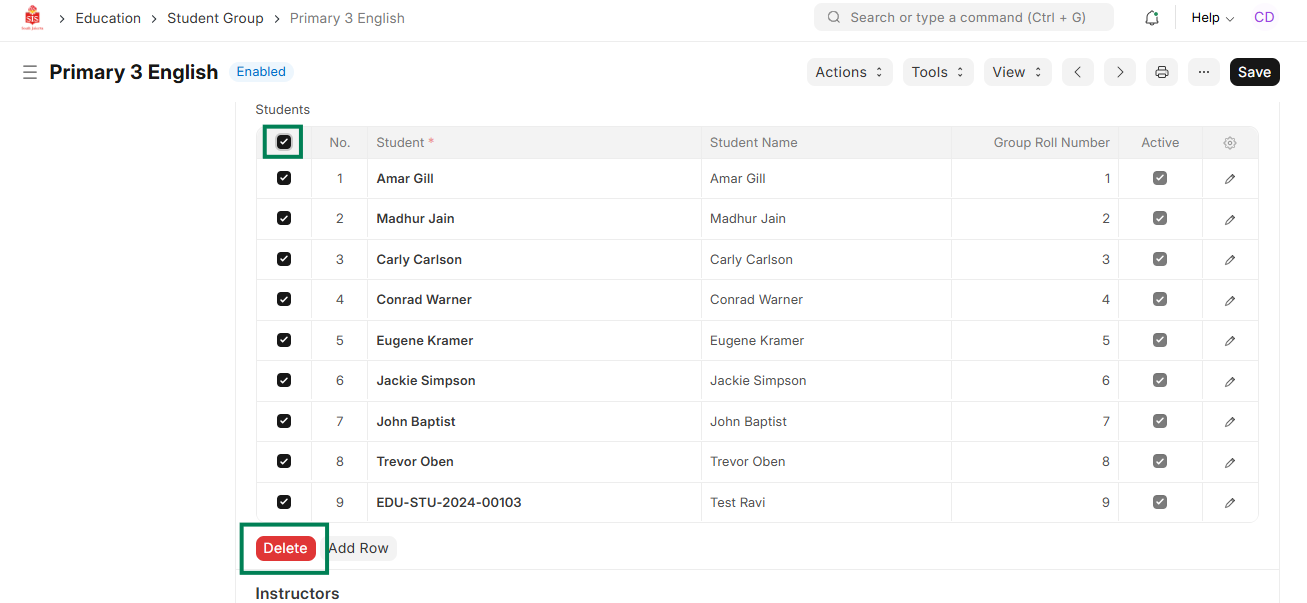
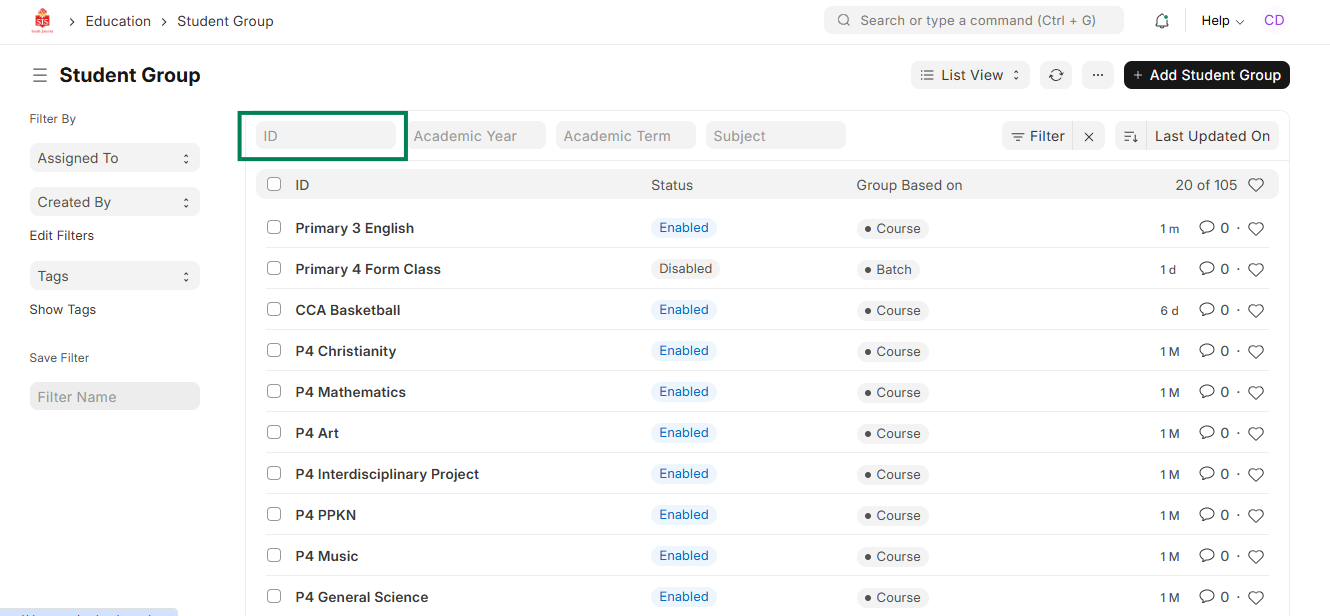 5. Select all the students and click on Delete
 6. Once the student name list is cleared, click on Get Students
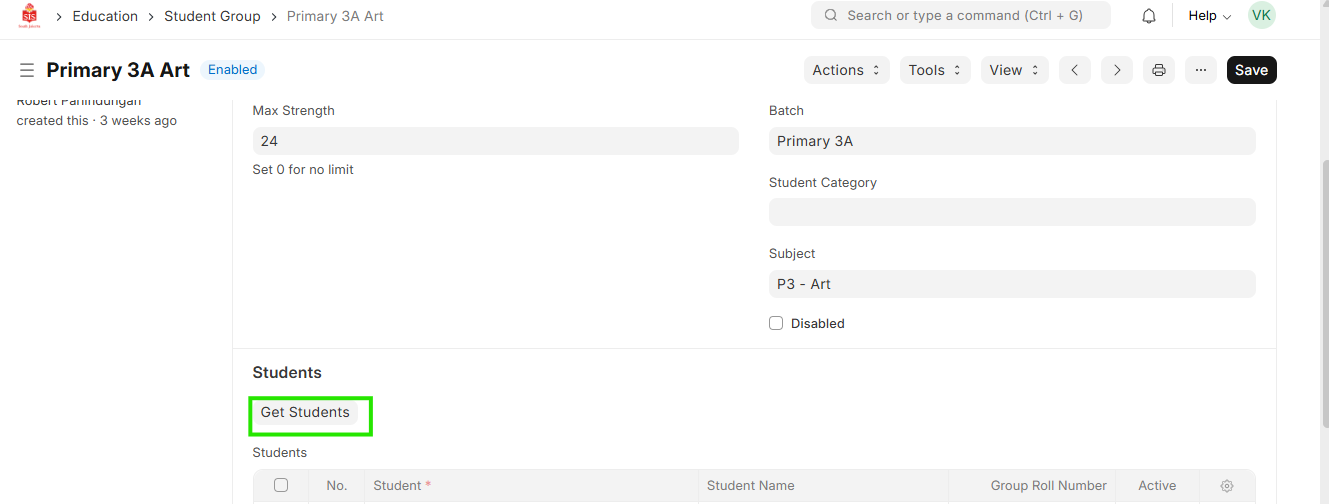 7. The table will get updated with the updated list of students
 8. Save and close