ED-Grading scale creation
Executed by
Registrar
Processes trigerred from
Navigation
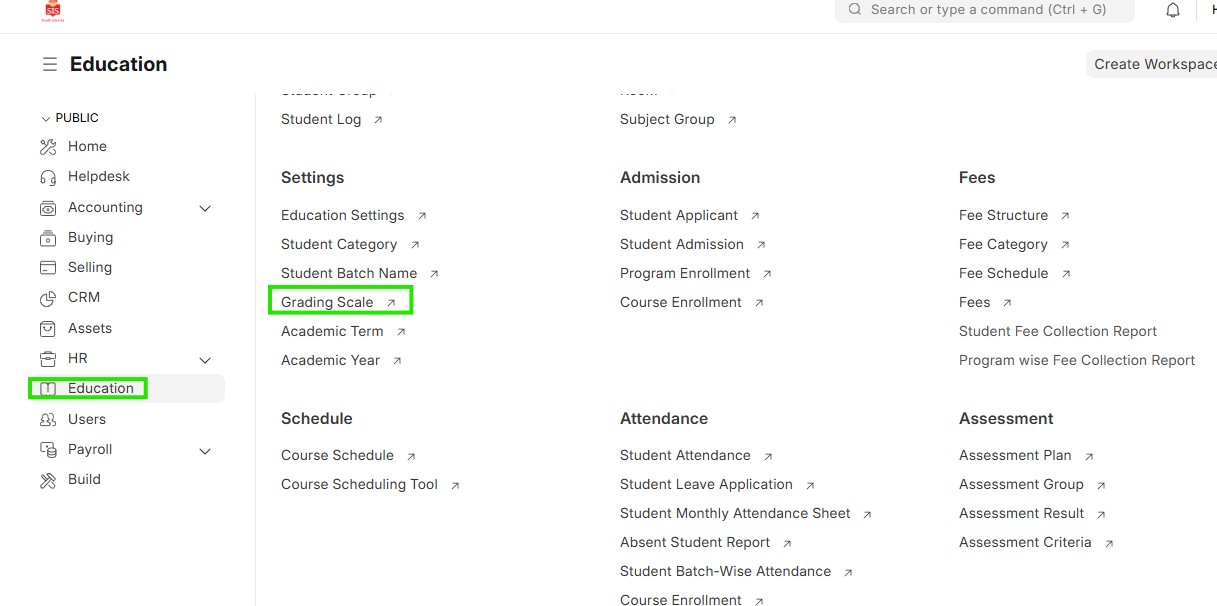
Navigation:Education > Grading Scale
Steps
Grading Scale Creation
- Select Education module and select Grading Scale
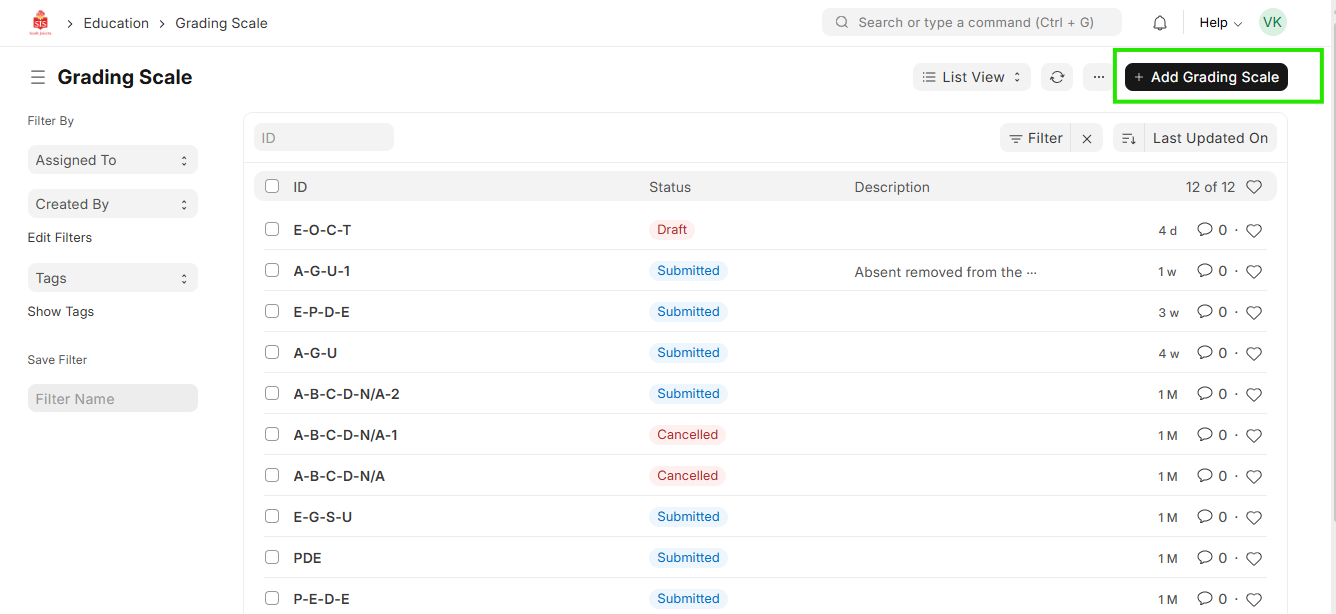
 2. Select Add Grading Scale and update the name
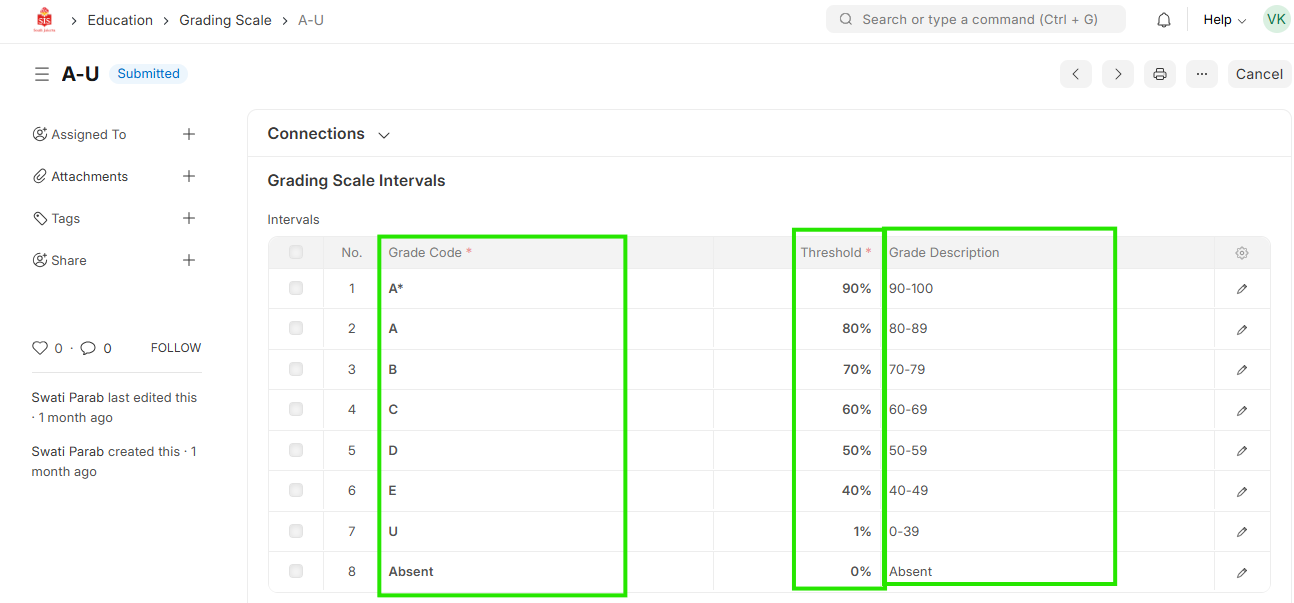
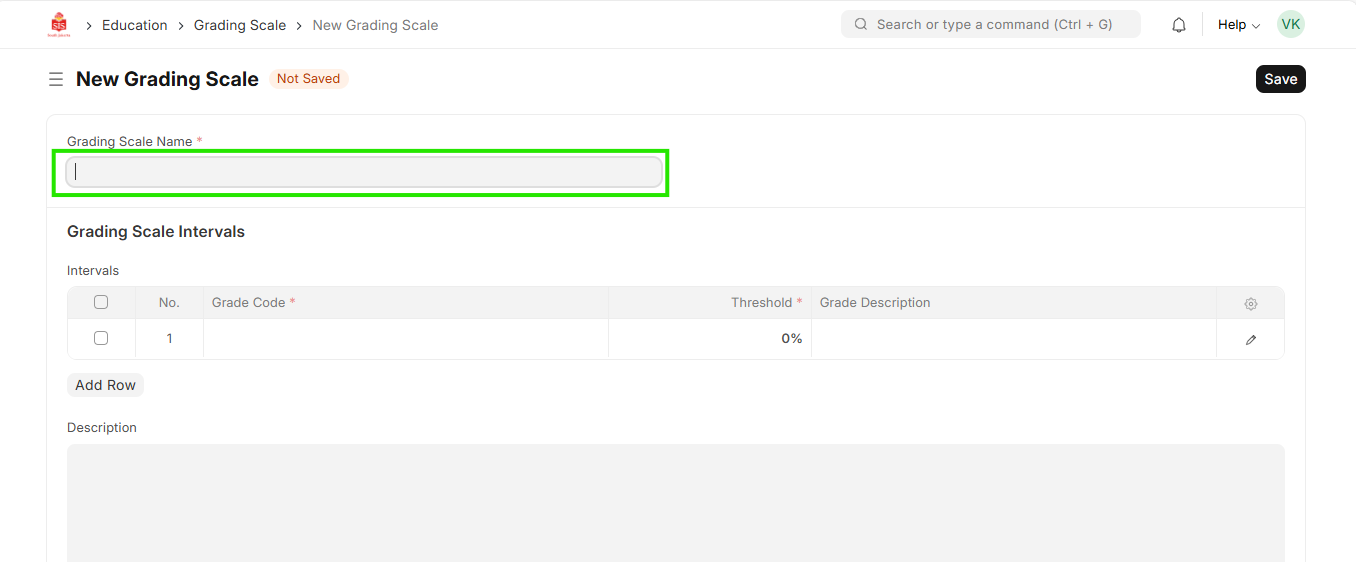 3. After opening the details, add the value to be populated and the percentage of the grading value
- Total value in percentage for all values should not be more than 100. Repeat for adding all the groups