ED-Program Enrolment (New Admission & Existing Students)
Executed by
Registrar, Registrar/DHT/HT
Processes trigerred from
Navigation
Navigation:Education > Program Enrollment
Steps
For enrolling a new confirmed student in the system
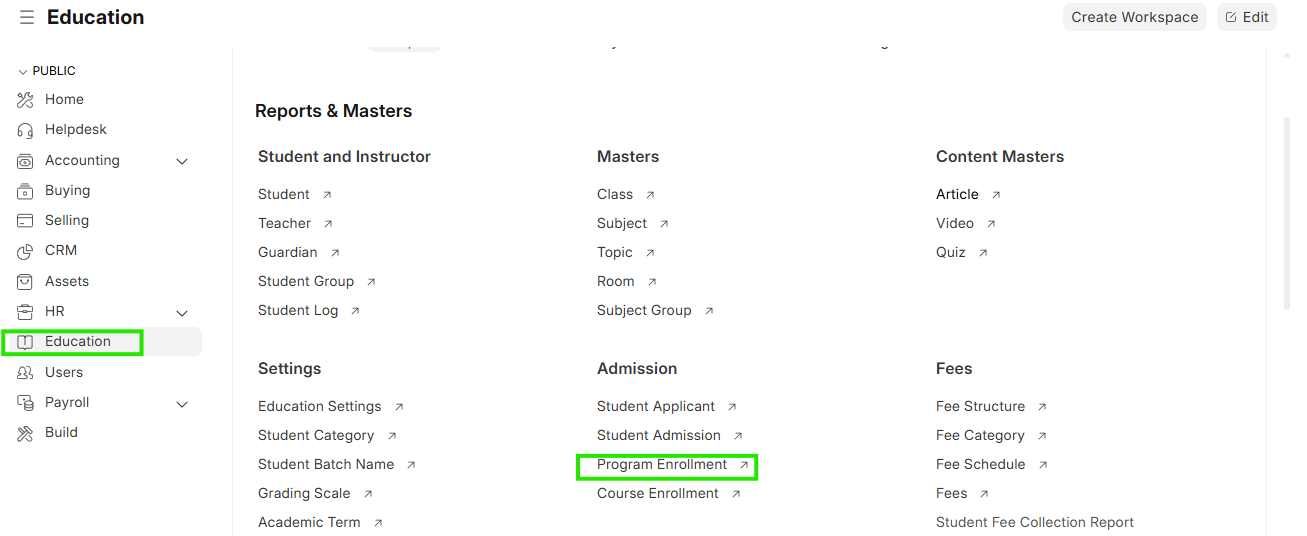
- Select Education module and click on Program Enrolment
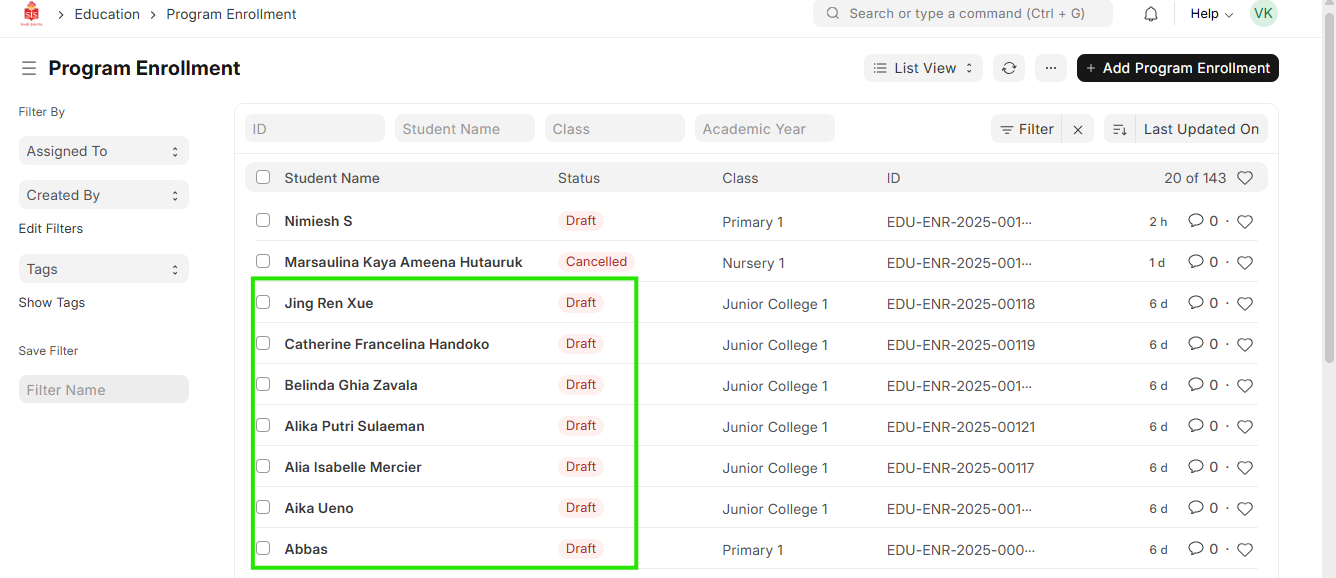
 2. Check the the list of students under the status of "Draft". These are students who have not been enrolled
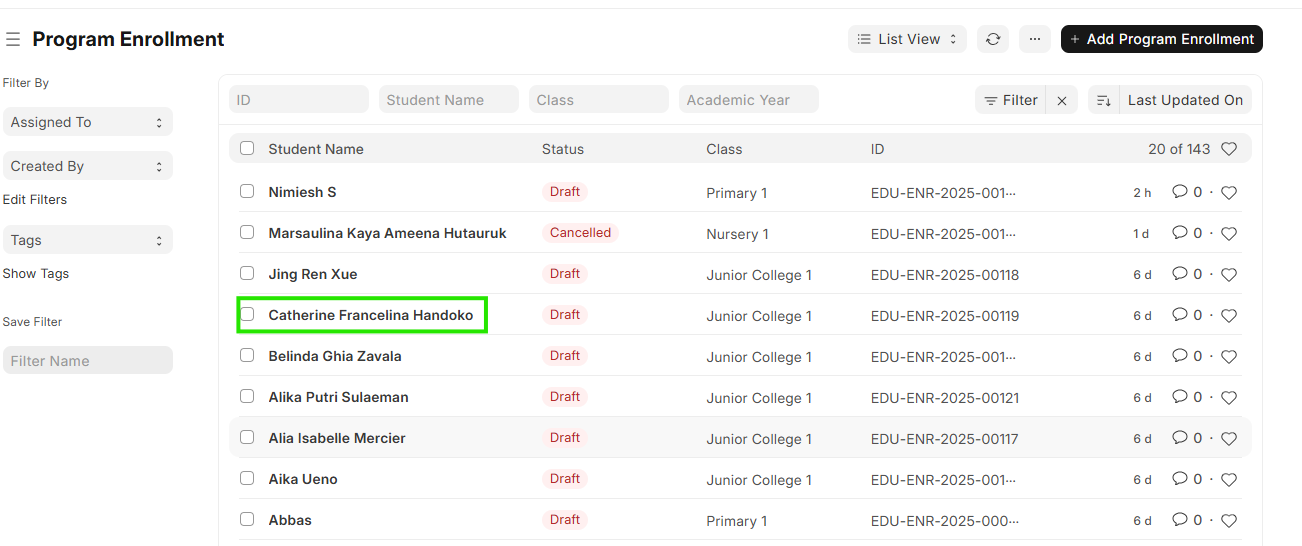
 3. Else search or filter on the name of the student for enrollment
4. Click on the respective student name
3. Else search or filter on the name of the student for enrollment
4. Click on the respective student name
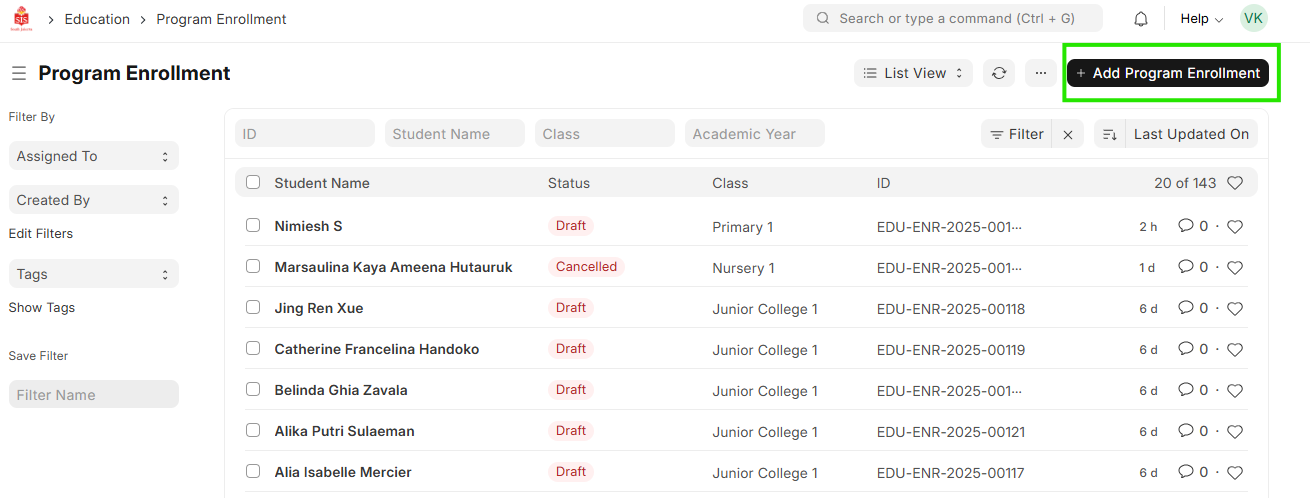
Subject Selection of the Student
- On popluation of the student details, check the program and academic year
 2. Select and update student batch
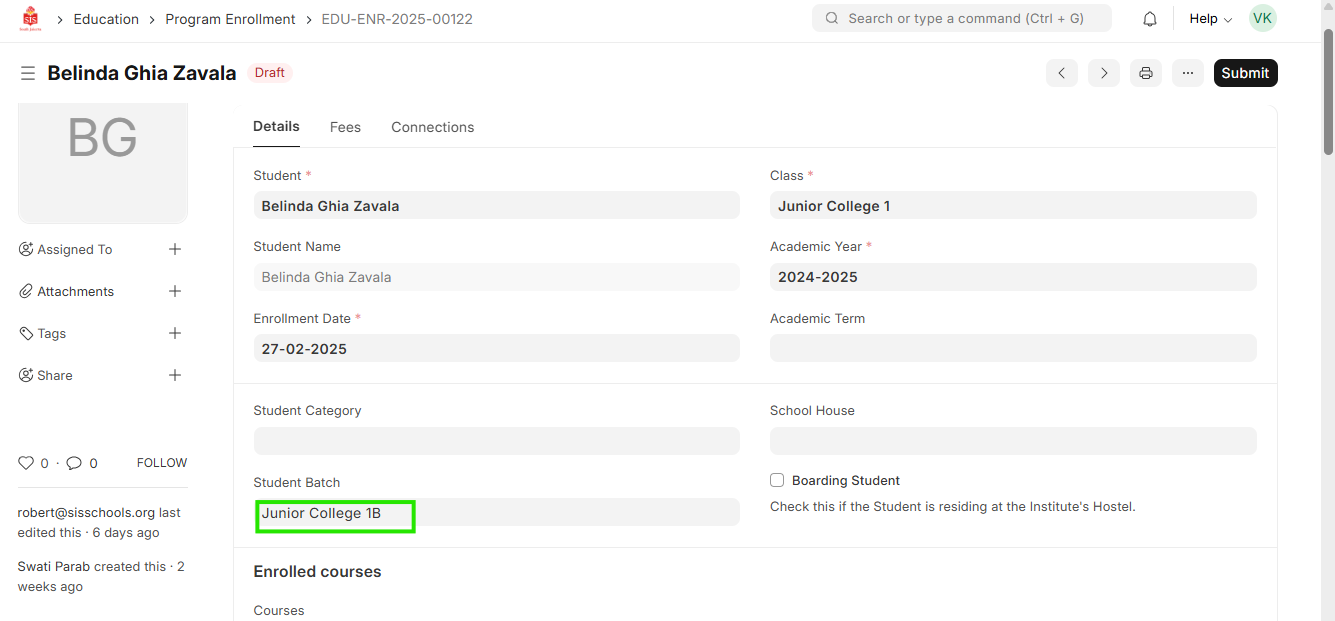 3. Check the enrolled course list and select the courses that are not applicable to the student from the subject list provided
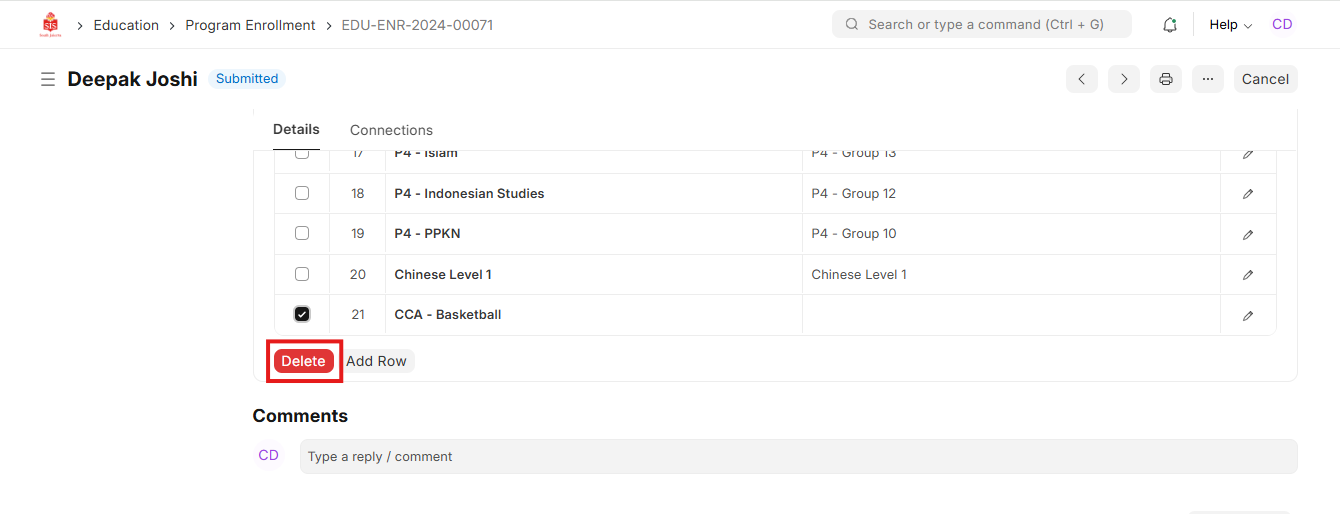
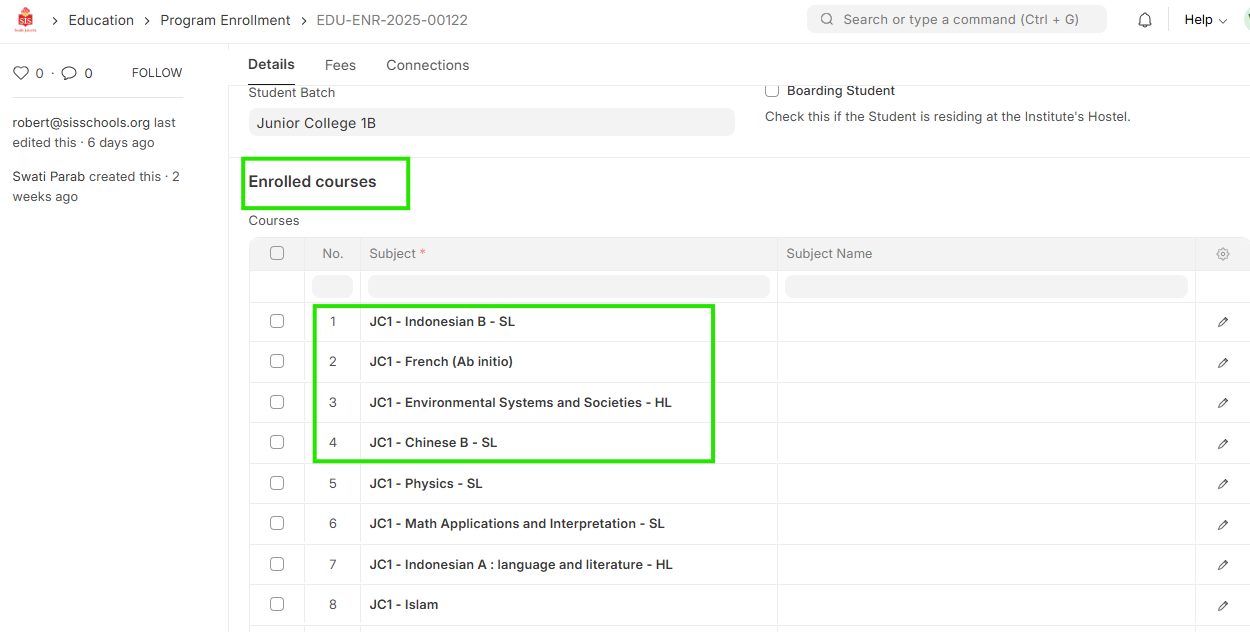 4. Delete the entries that have been selected and confirm the final subject selection
5. Once confirmed click on Save as draft
4. Delete the entries that have been selected and confirm the final subject selection
5. Once confirmed click on Save as draft
 6. On confirmation with Teacher/DHT, click on Submit - (optional step)