SL- Service Sales Invoice Creation
Executed by
Marketing Executive
Navigation
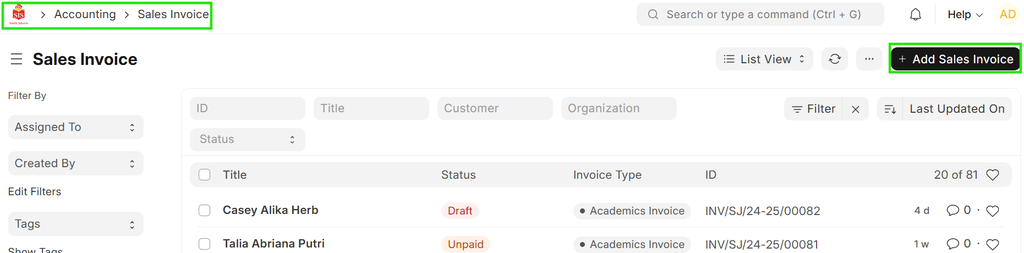
Home> Accounting > Sales Invoice > Add Sales Invoice.
Steps
- Click on Add Sales Invoice.
- A new sales invoice creation form will appear.
Fill in the required details:
(a) Invoice Type: Select Service Invoice.
(b) Customer: Enter the student’s name.
(c) Payment Due Date: Specify the due date.
(d) Items and Discounts: Select applicable items and apply any relevant discounts (if applicable).
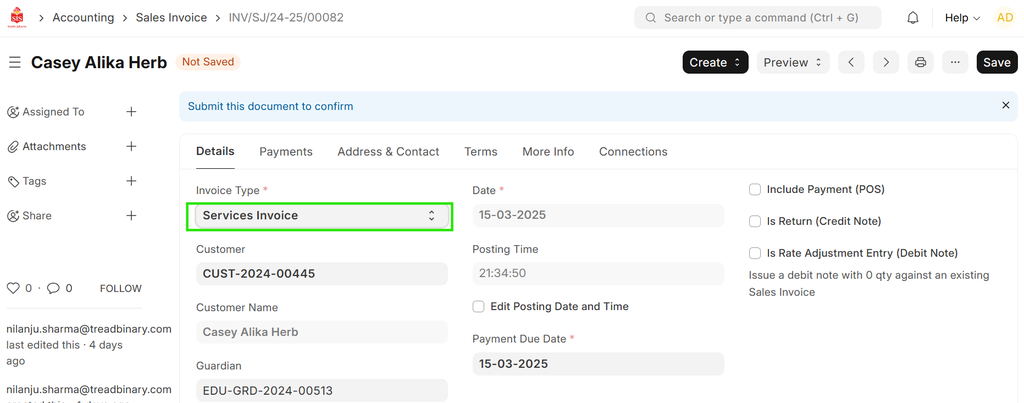 4. Once all details are filled in, click Save.