SL- Student Applicant Approval
Executed by
Admission Manager
Processes trigerred from
Student Admission - New student "(Variant)""
Navigation
Home>Education>Student Applicant>click on Approve / Reject (button)
Steps
- Once the student has paid the required fees, the next step is to either "Approve" or "Reject."Select "Approve":
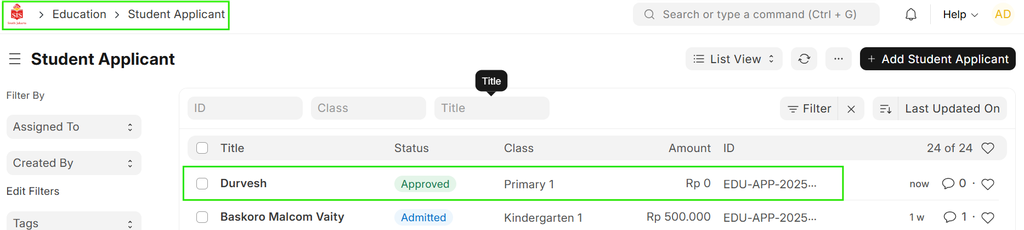

i) The document status will be updated to "Approved."
ii) A new button labeled "Enroll" will appear on the screen.

- Select "Reject":

i) The document status will be updated to "Rejected."
ii) The action button will return to displaying only the "Approve" option.