HR-Employee Creation
Executed by
General Administrator
OR
HR Manager
Processes trigerred from
On-Boarding- Confirmation (Varient)
Navigation
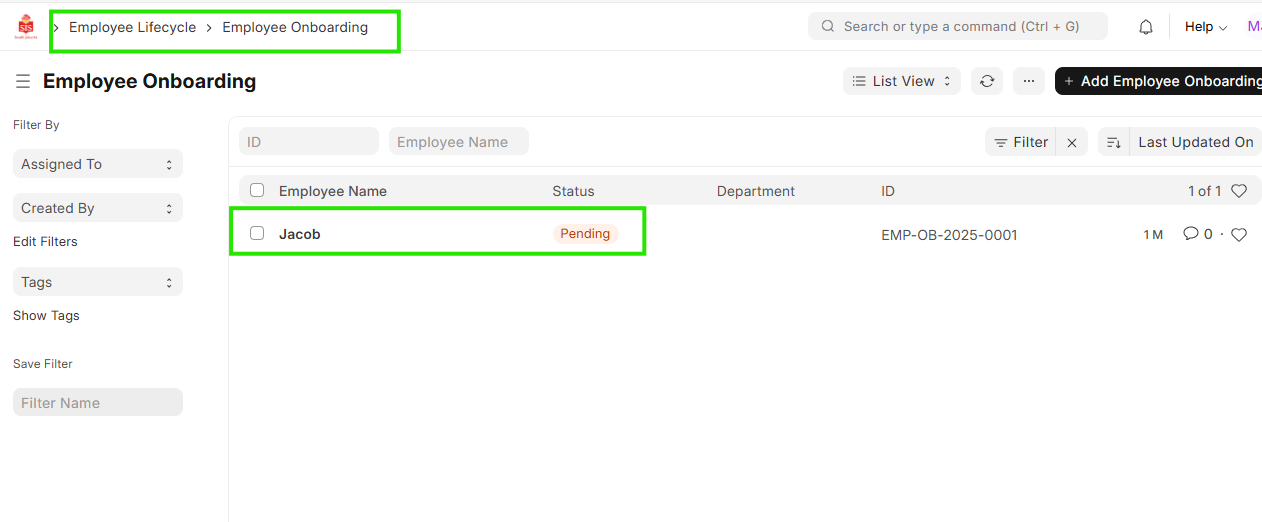
Navigation: Home > Select HR Module > Select Employee Lifecycle > Employee Onboarding
Steps
- Select the On-Boarding for which the Employee needs to be created
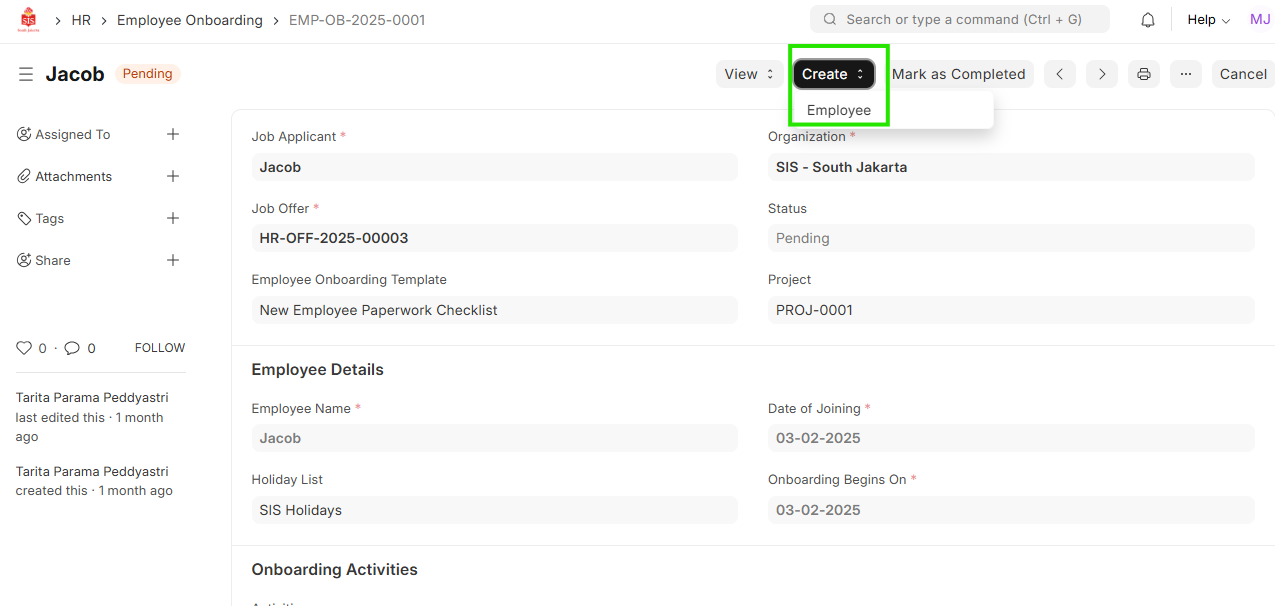
- Click on ""Create"" and select Employee
- Fill all the data in the Employee data.
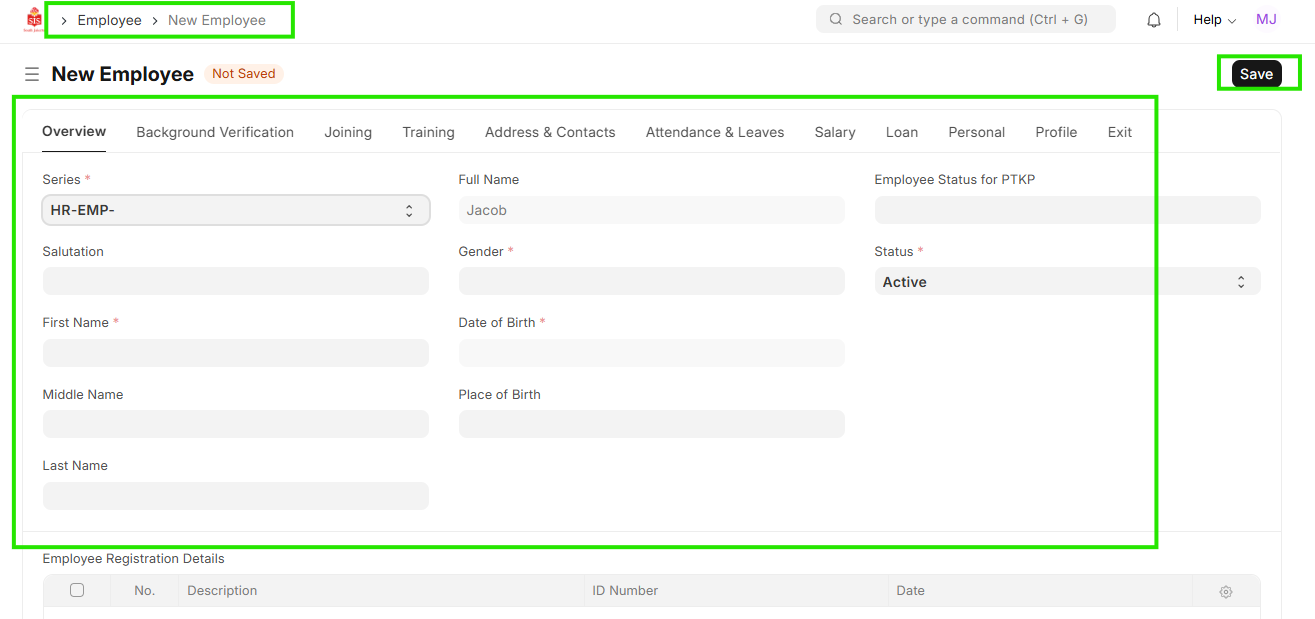
- Save
Note: The Employee will be created in ""Inactive"" state."