ED-Progress Report Submission
Executed by
DHT/HT
Processes trigerred from
Navigation
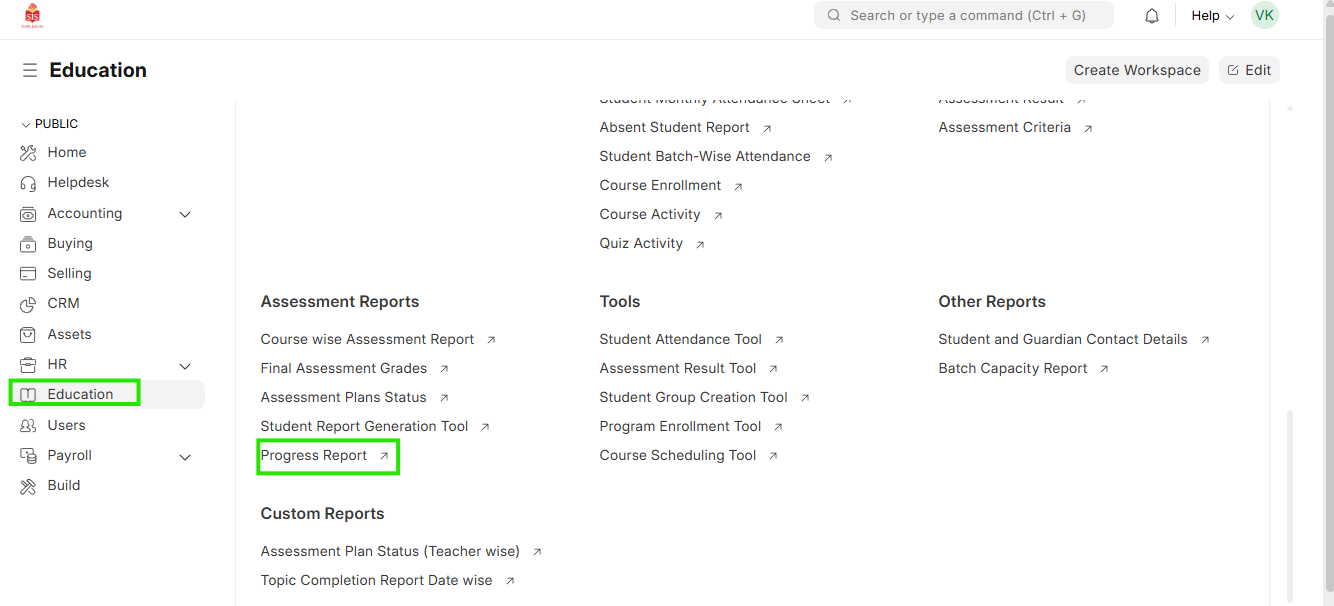
Navigation:Education > Progress Report
Steps
Progress Report Submission
- Select Education module and select Progress Report
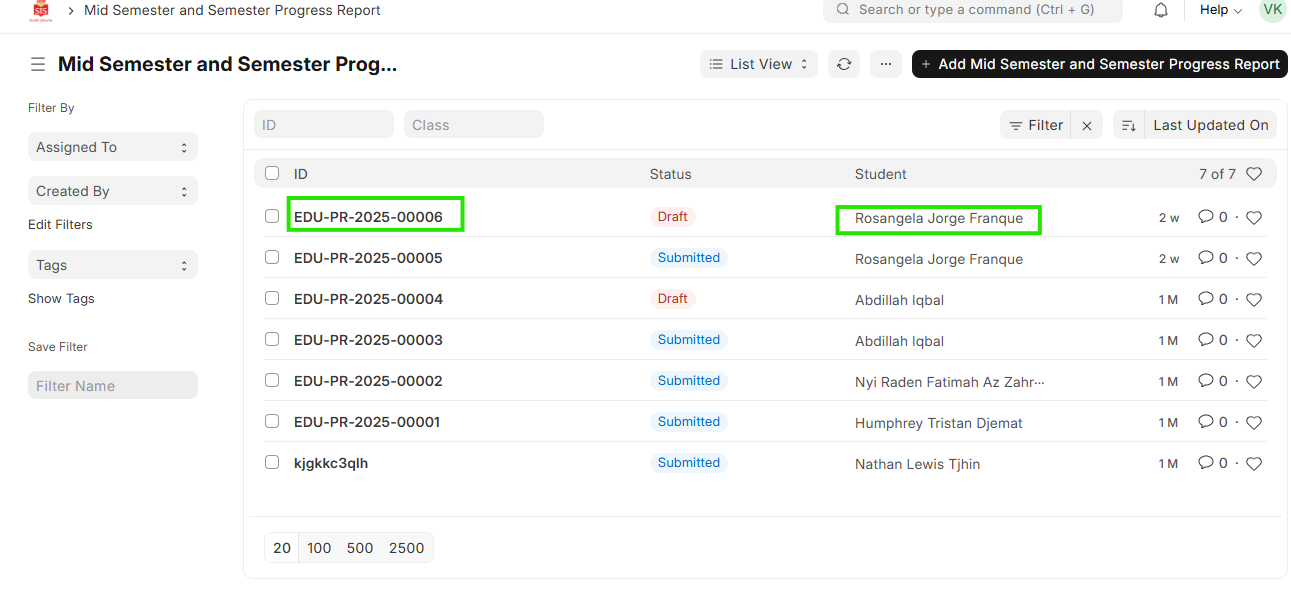
 2. Enter the name of the student in the search and identify the report to be submitted
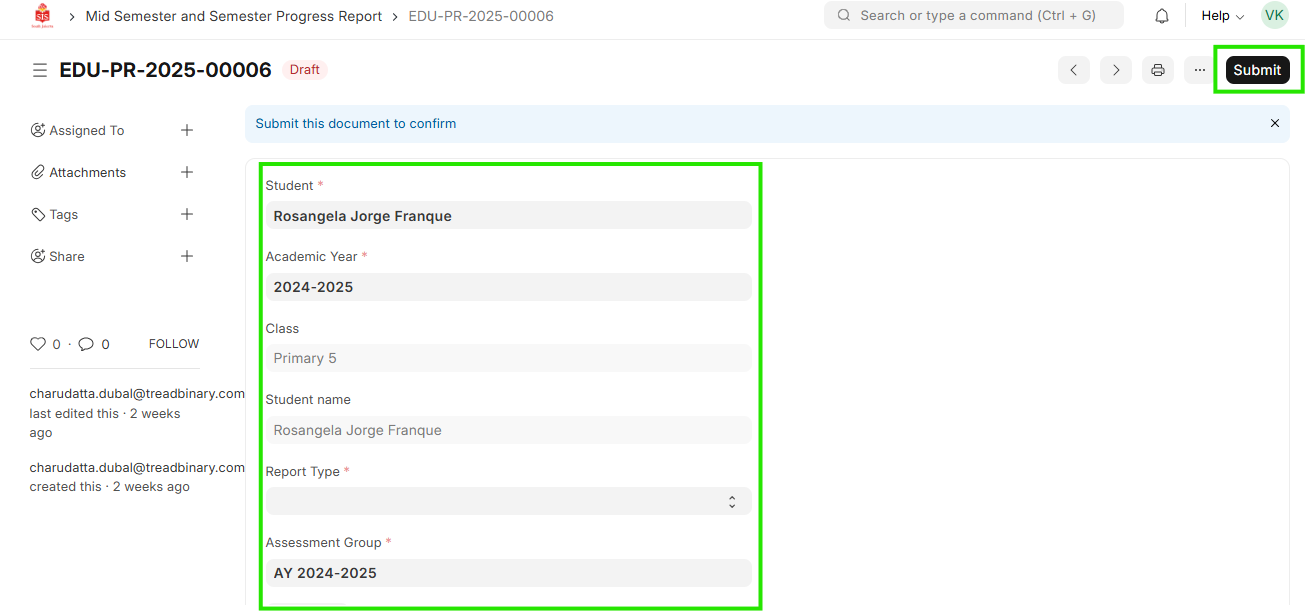
 3. Open the report entry and check the details entered
4. If good to go, click on Submit
3. Open the report entry and check the details entered
4. If good to go, click on Submit