ED-Assessment Plan creation
Executed by
Registrar
Processes trigerred from
Navigation
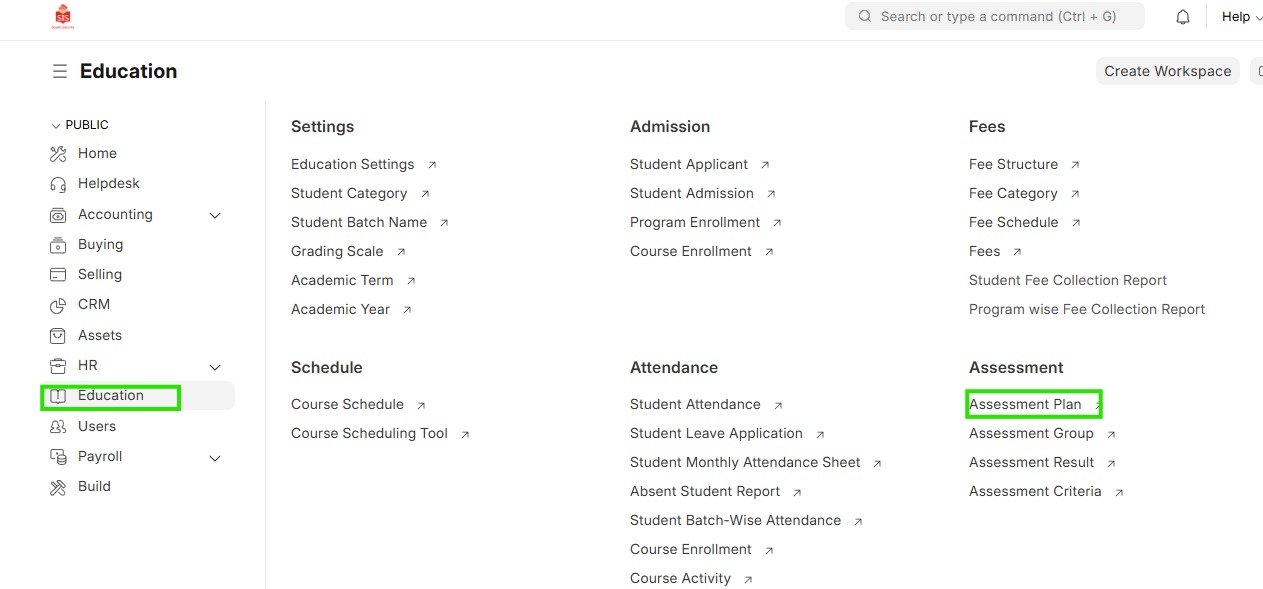
Navigation:Education > Assessment Plan
Steps
Assessment Plan Creation
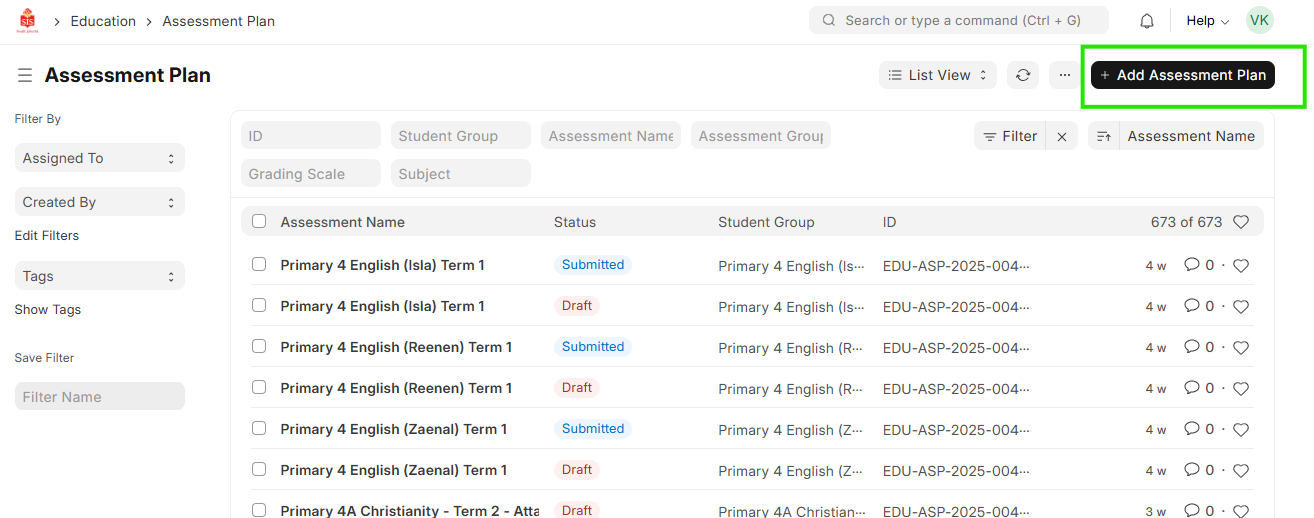
- Select education module and click on Assessment Plan. Click on Add Assessment Plan
 2. Add Assessment name
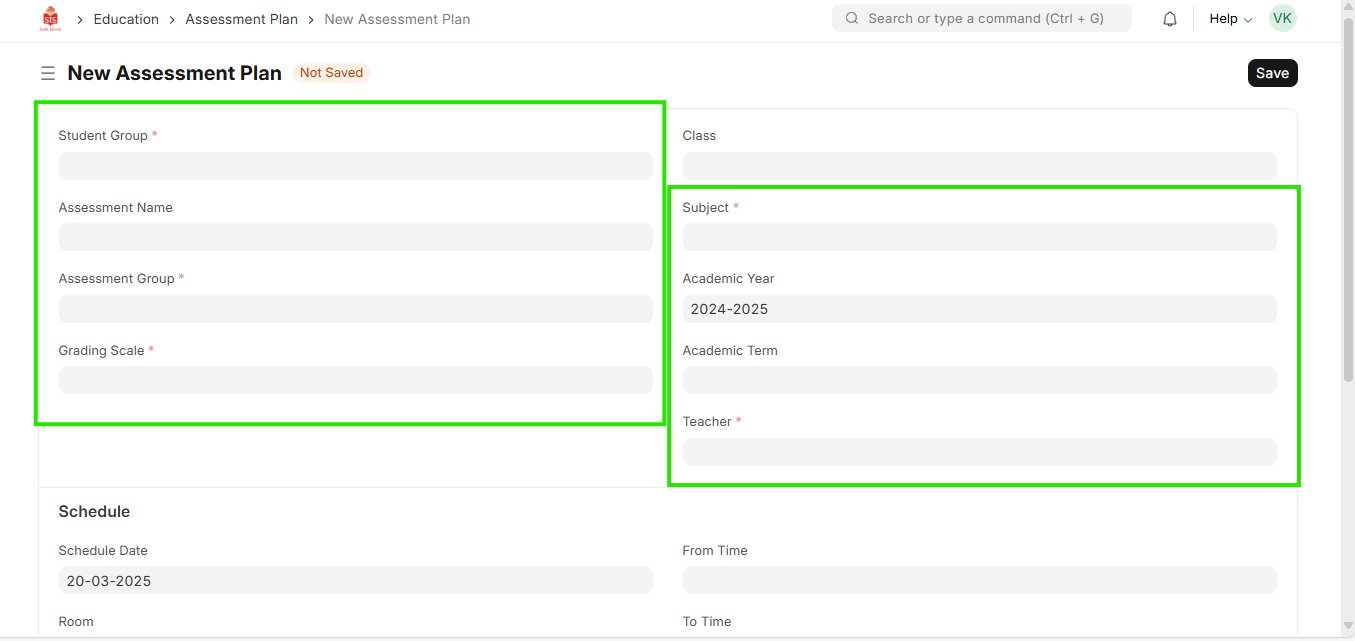
 3. Select Student Group, Assessment Group, Course, Academic year, Teacher and Grading Scale
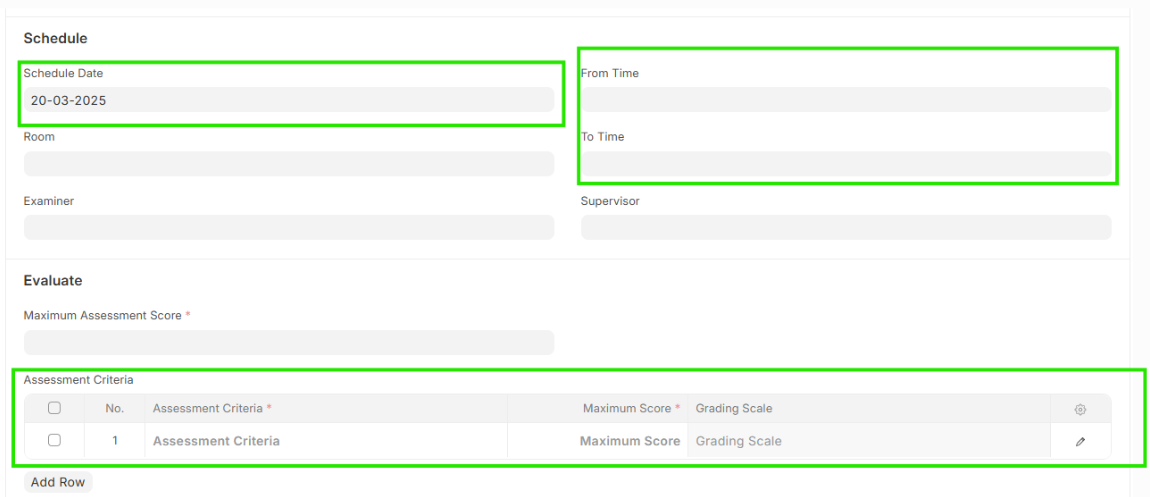
 4. Check and update Assessment Criteria in the tabel provided below and update total marks based on the sum of the assessment criterias
5. Provide a scheduled date and time for the same
4. Check and update Assessment Criteria in the tabel provided below and update total marks based on the sum of the assessment criterias
5. Provide a scheduled date and time for the same
 6. Save the entry and Submit on confirmation of the selection