HR-Travel Request Creation
Executed by
Employee
Processes trigerred from
Training & Development
Navigation
Home > HR Module > Travel Request
Steps
Navigate to the HR module, click on Travel Request and add new request.
Enter details such as Travel Type, Employee details, destination, purpose, estimated cost, and travel dates.

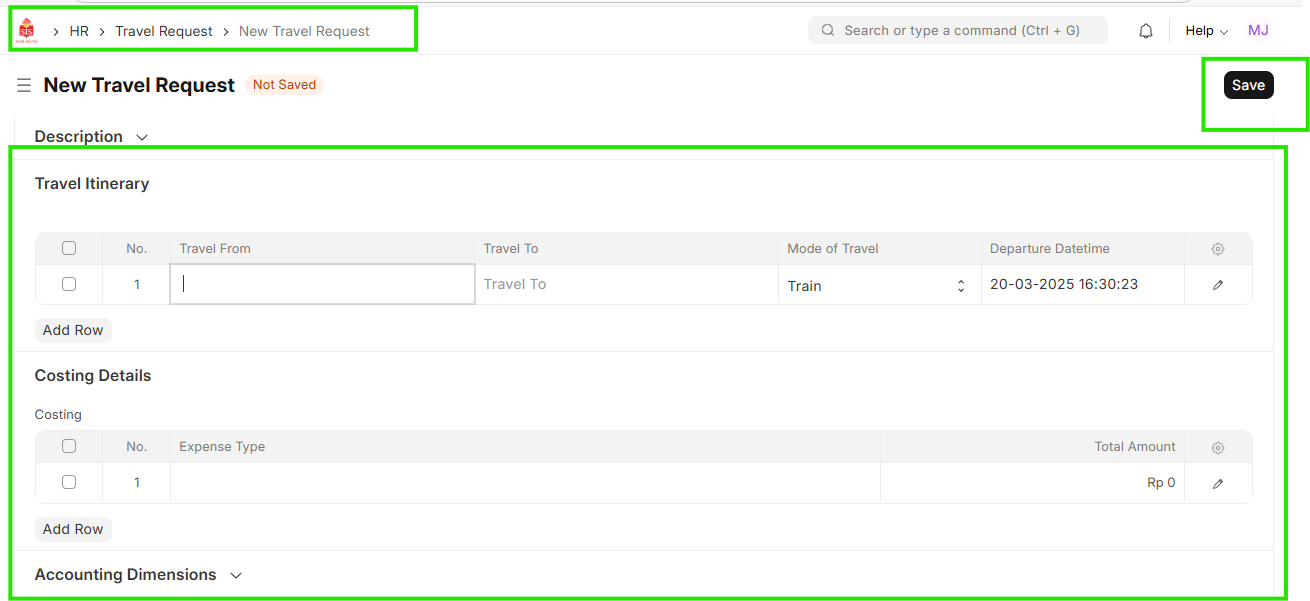 3. Submit the travel request for approval."