FI- Check dues for exiting student
Executed by
Accounts Executive – Receivable
Finance Manager
Processes triggered from
- Refund (Pull Out)
Navigation
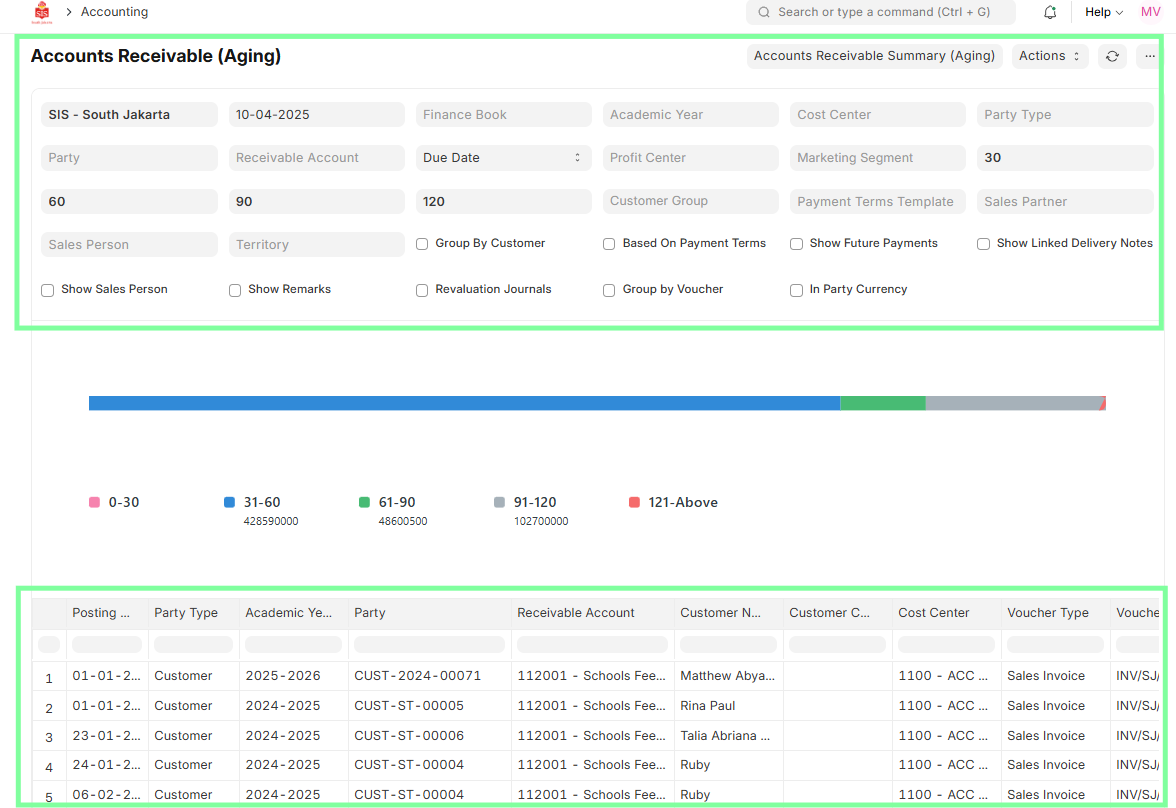
Navigation 1: Reports > Accounts Receivable (Aging)
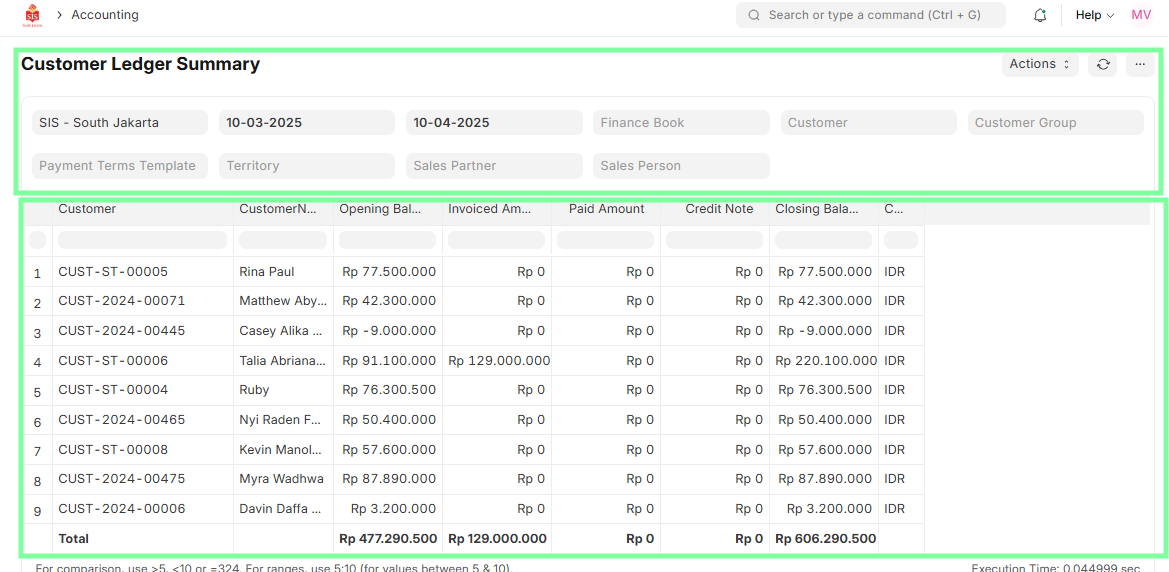
Navigation 2:Reports > Customer Ledger Summary
Steps
- Navigate to the Accounts Receivable (Aging) report.
- Filter by Customer Name to identify the exiting student.
- Review outstanding balances or overdue amounts.
- Navigate to Customer Ledger Summary for detailed transaction history.
- Verify total dues or refunds required before proceeding with further refund steps.