ED-Student Batch Creation
Executed by
Registrar
Processes trigerred from
Navigation
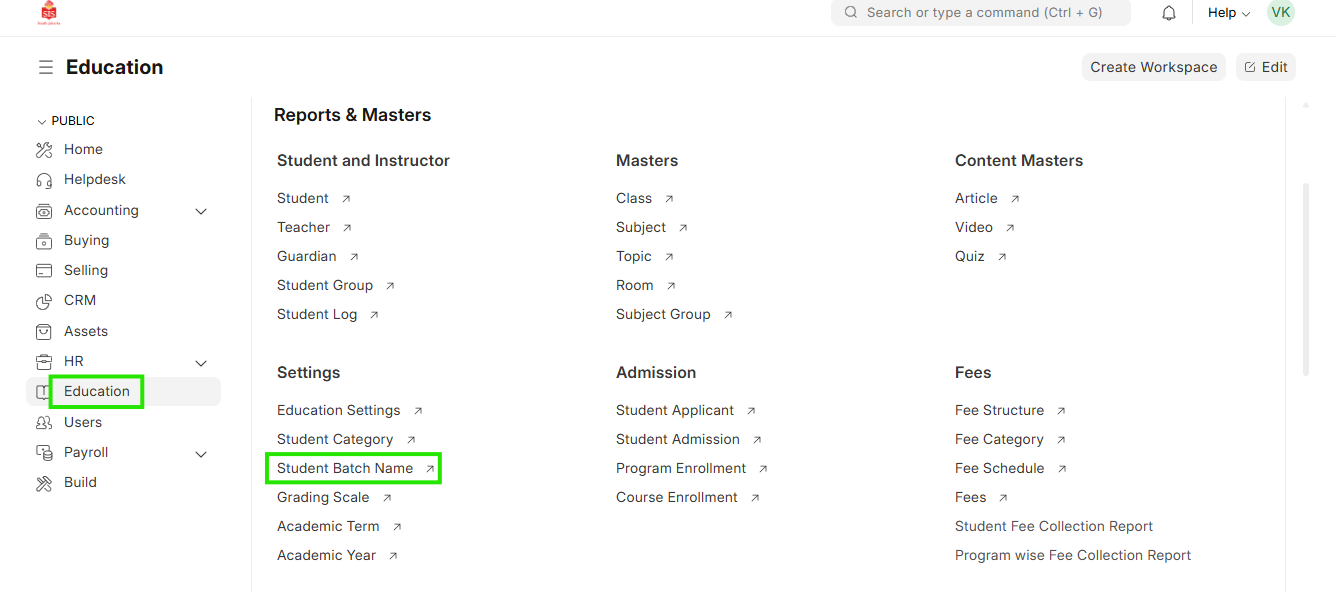
Navigation:Education > Student Batch Name
Steps
Student Batch Creation
- Select Education module and select Student Batch Name
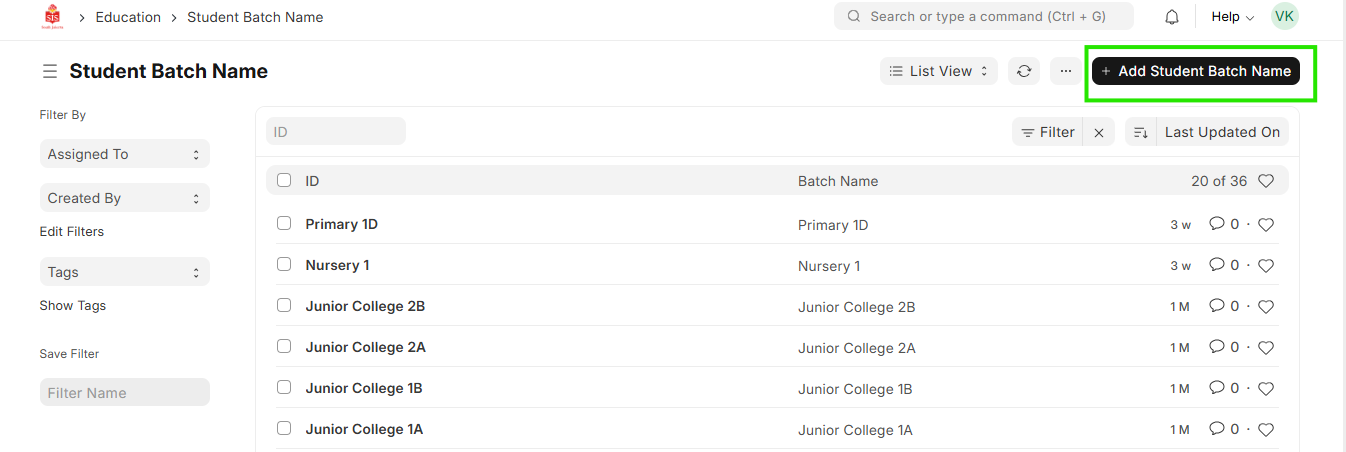
 2. Select Add Student Batch Name
 3. Enter the name and capacity of batch
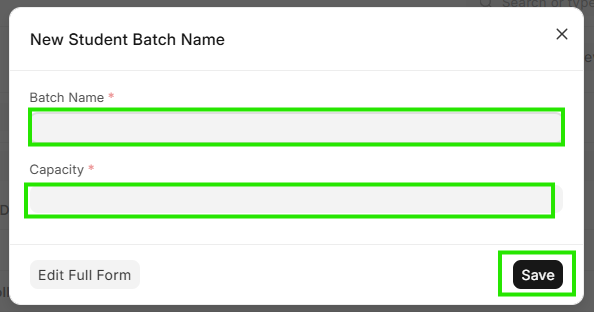 4. Click on Save
5. Repeat for adding multiple batches / divisions
4. Click on Save
5. Repeat for adding multiple batches / divisions