BY-Payment Request Creation
Executed by
Requestor
Processes trigerred from
- Campaign Management
- PO-based Procurement
- Service/Contract based Procurement
- Non PO based Procurement
Navigation
Home > Select Buying Module > Select Purchase Invoice Created>Click on Create Tab> Select Payment Request
Steps
- Click on Purchase Invoice and With Reference to Purchase invoice click on create Tab and select Payment request

- Enter Payment request type
- Enter Mode of Payment
- Party details will be fetched automatically ie( Supplier & Purchase Invoice Reference Number & Amount from Invoice)
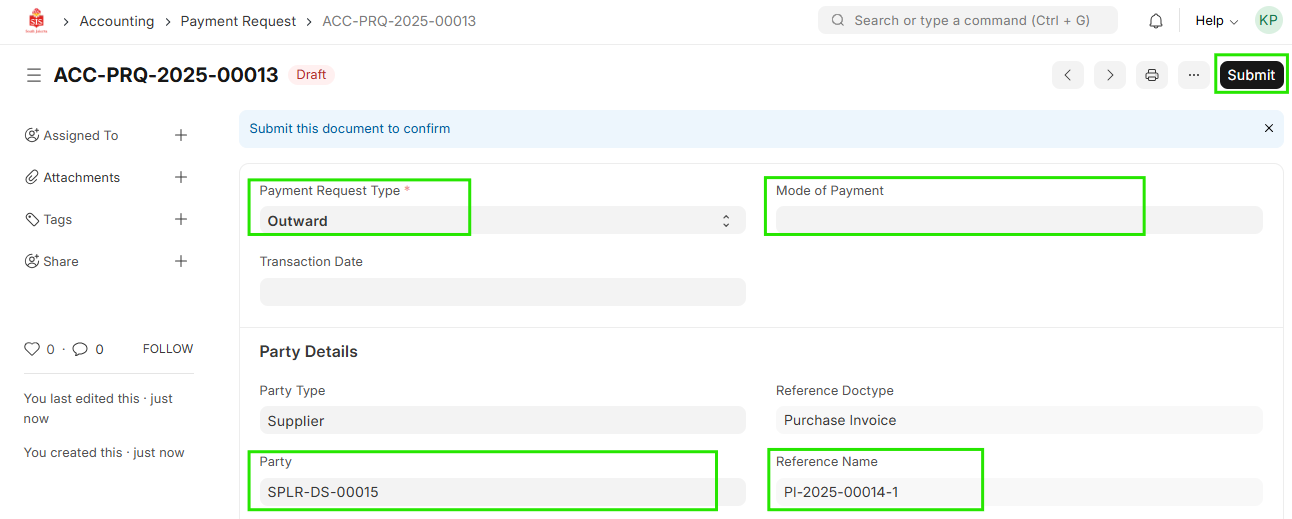
- Save
- It will be sent for Approval Process to Finance.