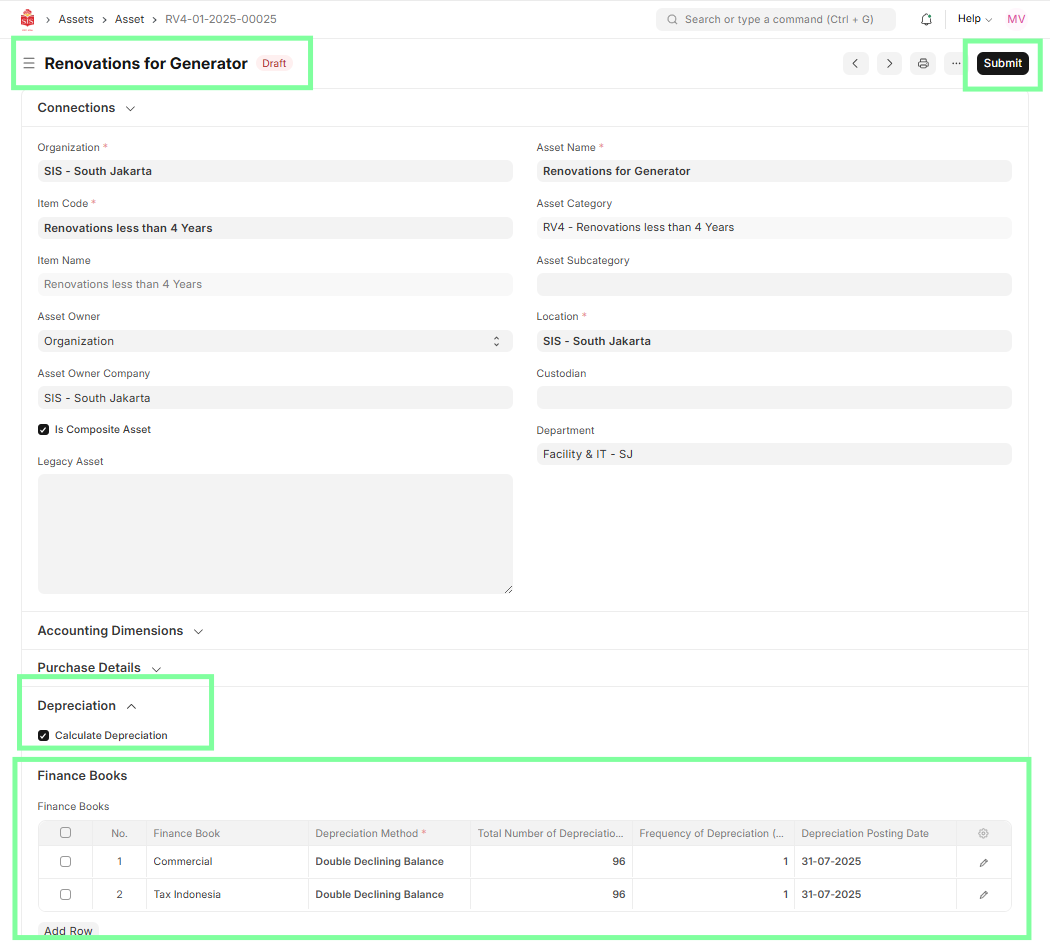
FI – New Asset Capitalization
Executed by
Accounts Executive - Payable
Finance Manager
Processes Triggered From
- Asset Capitalization
Navigation
Navigation: Home > Go to Asset Module > Click on Asset Capitalization > Click on New
Steps
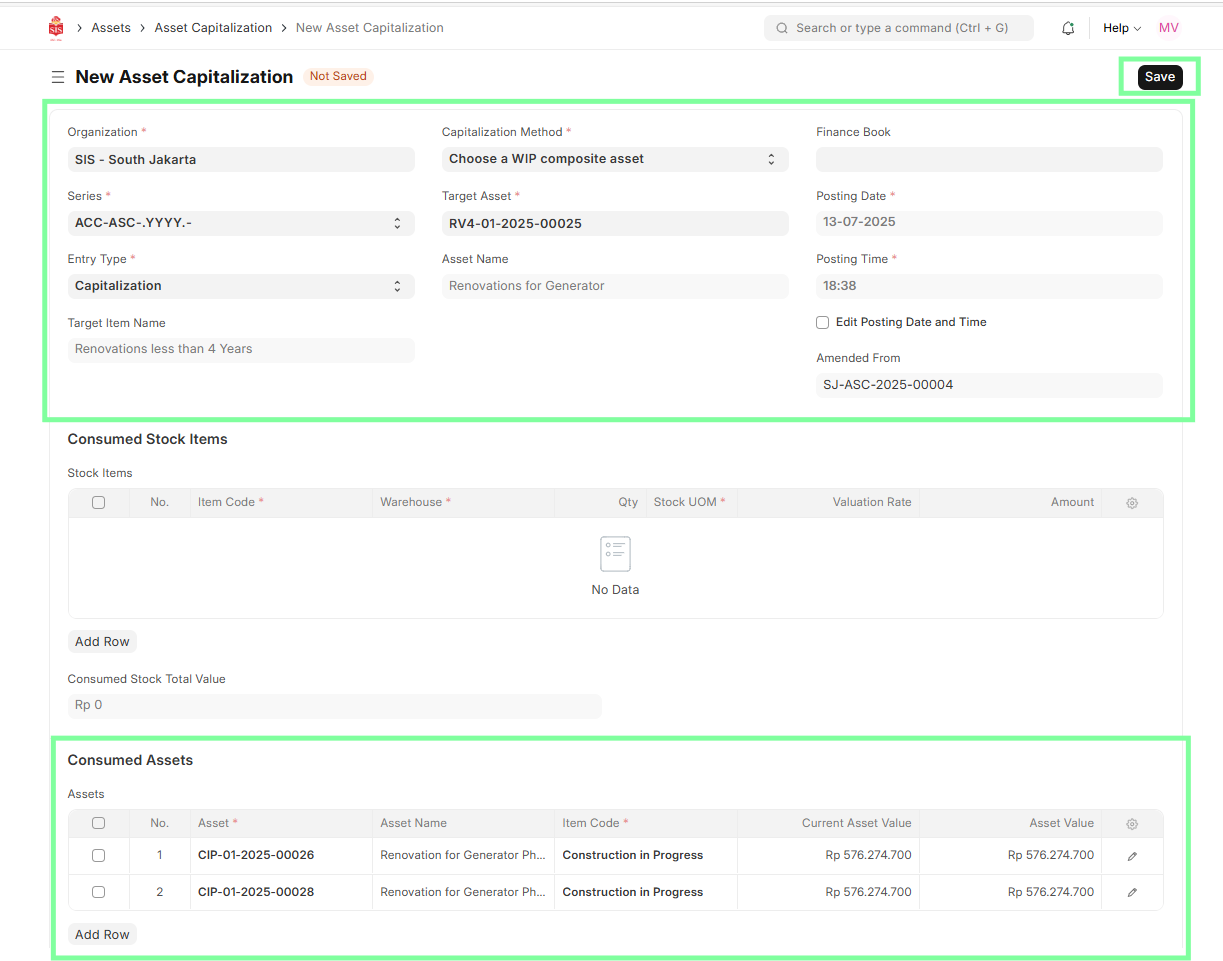
Go to Asset Capitalization and click New.
Set required input fields:
- Organization (e.g., SIS - South Jakarta)
- Capitalization Method → Choose a WIP Composite Asset
- Entry Type → Capitalization
- Finance Book
- Posting Date and Posting Time
Select or create the Target Asset.
The Consumed Assets will be auto-fetched based on the WIP Composite Asset linkage.
🔎 Note: During procurement of individual assets (consumed items), make sure the field
WIP Composite Asset is filled with the name of the composite asset created earlier.
The Total Value and Target Incoming Rate will be auto-calculated based on the fetched assets.
Enter the following details:
- Cost Center
- Target Fixed Asset Account
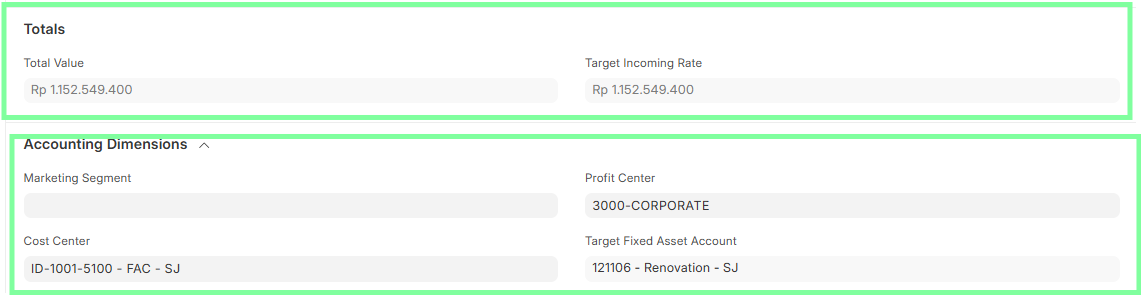
Click Save, then Submit.
After submitting the Asset Capitalization, go back to the composite asset created earlier, set the depreciation details (if any), and then submit the asset.