HR-Leave Application Creation
Executed by
Employee
Processes trigerred from
Leaves & attendance
Navigation
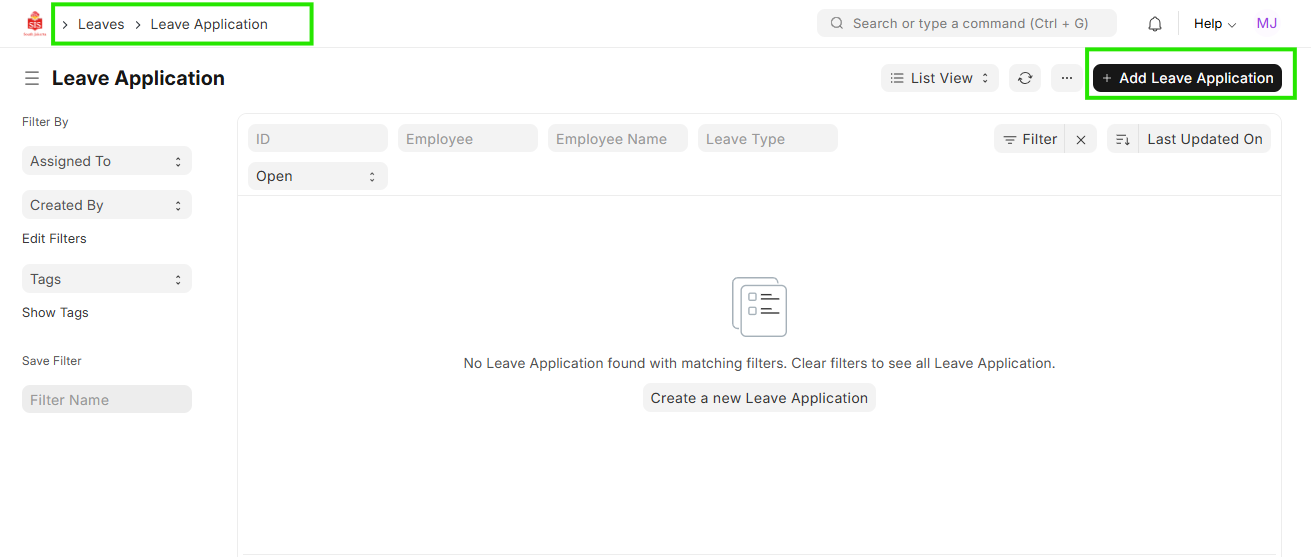
Navigation: Home > Select HR Module > Select Leaves > Select Leave Application
Steps
- Select the Leave Application
Select the Leave Type, From Date & To Date.
Select ""Half Day"" is applying
Mention the Reason
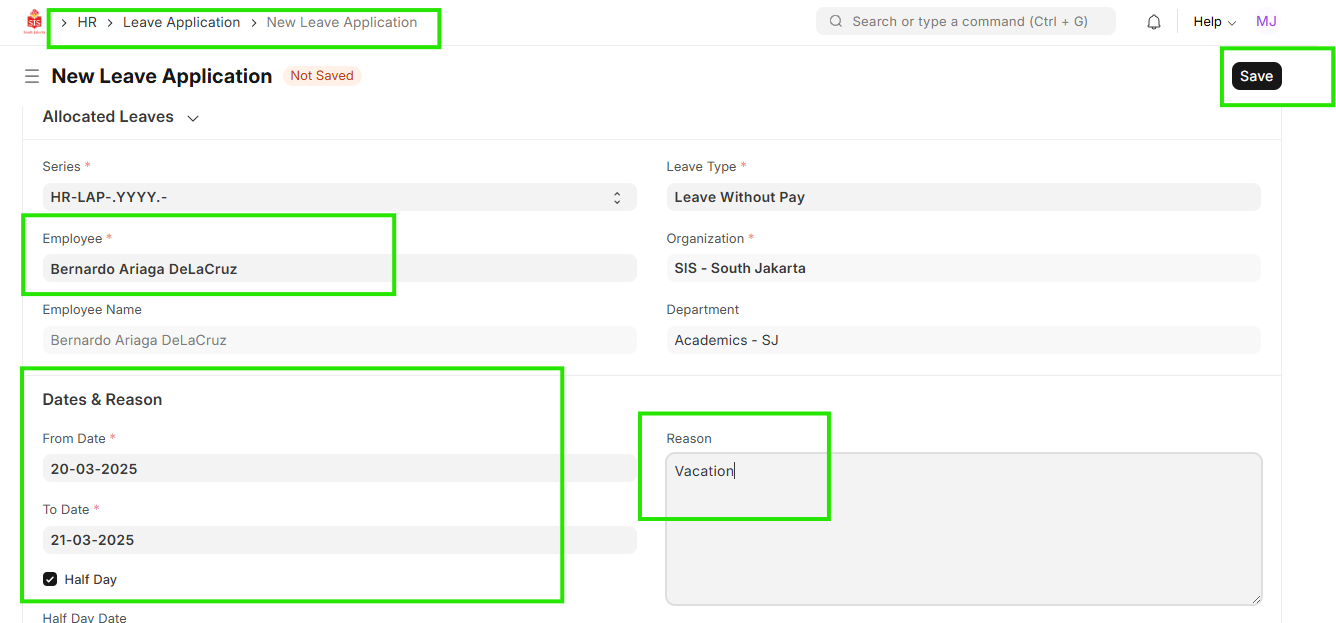
Save
Click on Action button and select ""Send for Approval"""