HR-Job Offer Creation
Executed by
General Administrator
OR
HR Manager
Processes trigerred from
Recruitment
Navigation
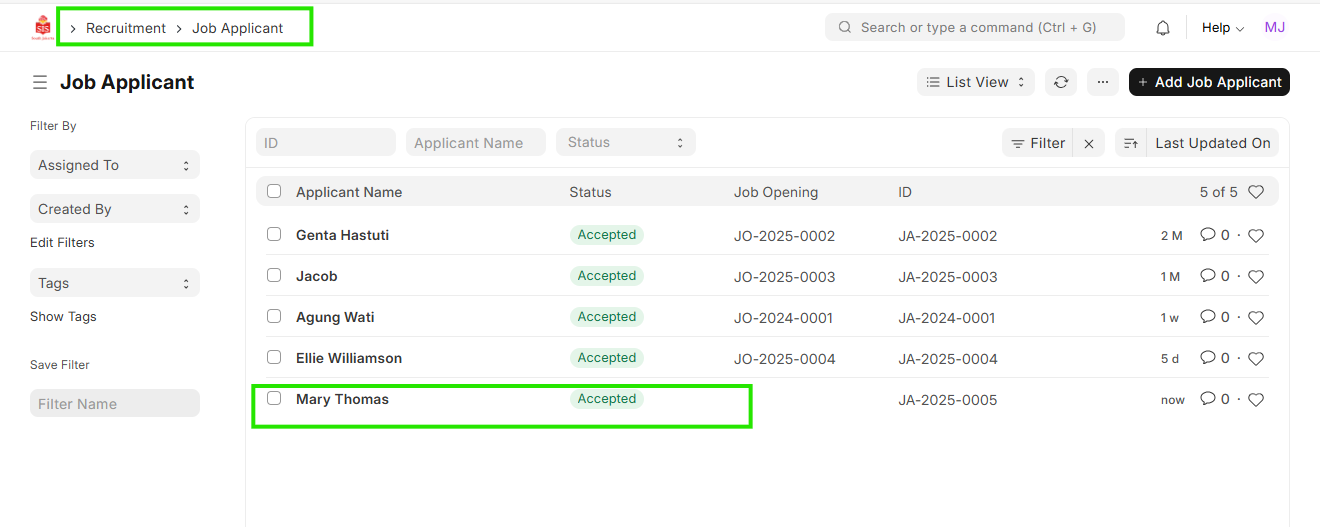
"Navigation: Home > Select HR Module > Select Recruitment > Job Applicant
OR
Navigation: Home > Select HR Module > Select Recruitment > Job Offer"
Steps
- Click on the Job Applicant for which the Job Offer needs to be created.
- Click on ""Create"" and click to "" Job Offer""

- Enter ""Offer Date"", ""Employee Category"

- Select ""Job Offer Template"" and ""Terms and Conditions""


Save.
ORClick on ""Add Job Offer""

- Select ""Job Applicant"", ""Offer Date"", ""Employee Category""
 3. Select ""Job Offer Template"" and ""Terms and Conditions""
- Save"